MOTOSHARE 🚗🏍️
Rent Bikes & Cars Directly from Owners
Motoshare connects vehicle owners with people who need bikes and cars on rent. Owners earn from idle vehicles, and renters get flexible ride options.
Visit Motoshare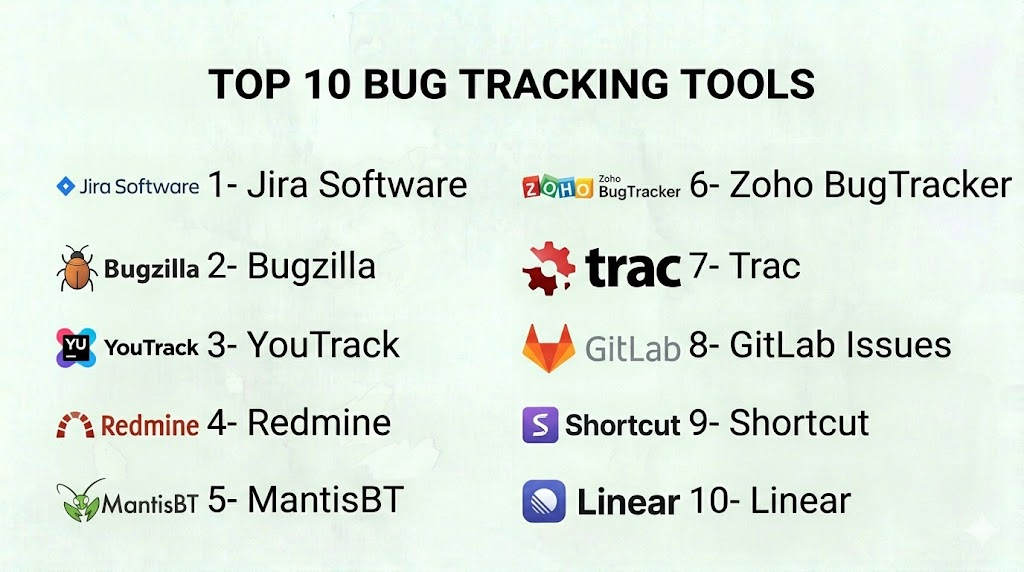
Introduction
Bug Tracking Tools are specialized platforms designed to help software development teams systematically record, monitor, and resolve software defects. They provide centralized reporting, assign ownership, track progress, and integrate with development workflows to ensure timely issue resolution. In a fast-paced software landscape, effective bug tracking is critical to maintain product quality, reduce downtime, and enhance customer satisfaction.
These tools streamline collaboration between developers, testers, and product managers by consolidating bug reports from multiple sources, enabling prioritization, and providing actionable insights through dashboards and analytics. With growing complexity in software projects, having a robust bug tracking system is no longer optional—it’s a core part of modern DevOps and Agile practices.
Real-world use cases:
- Tracking bugs across multiple development teams and products.
- Prioritizing defect resolution based on severity and impact.
- Integrating bug reports with version control and CI/CD pipelines.
- Providing visibility to stakeholders on ongoing issues and resolutions.
- Analyzing defect trends to improve code quality and reduce future errors.
Evaluation criteria for buyers:
- Ease of logging and categorizing bugs.
- Integration with development, project management, and CI/CD tools.
- Reporting, dashboards, and analytics.
- Customizable workflows and automation.
- Security and compliance measures.
- Scalability across teams and projects.
- Mobile and remote accessibility.
- Support and community resources.
- Pricing and licensing flexibility.
Best for: Software development teams, QA teams, DevOps teams, product managers, and organizations building complex software across startups, SMBs, and enterprises.
Not ideal for: Companies with minimal software development needs, or teams managing only small projects where manual tracking is sufficient.
Key Trends in Bug Tracking Tools
- Increasing adoption of AI-powered bug triaging and predictive defect prioritization.
- Seamless integration with code repositories, CI/CD pipelines, and project management platforms.
- Enhanced automation for notifications, status updates, and workflow triggers.
- Cloud-based SaaS deployment with remote access and mobile interfaces.
- Improved analytics to identify defect patterns and root causes.
- Public and private reporting portals for stakeholder visibility.
- Role-based access controls and compliance with SOC 2, GDPR, and ISO standards.
- Shift towards lightweight, user-friendly platforms for agile and lean teams.
- Enhanced collaboration features to support cross-functional development.
- Subscription-based tiered pricing models to accommodate different team sizes.
How We Selected These Tools (Methodology)
- Evaluated market adoption and mindshare among software development teams.
- Assessed feature completeness, including reporting, prioritization, and workflow customization.
- Analyzed performance and reliability based on uptime and historical reviews.
- Reviewed security and compliance posture.
- Checked integrations with version control, project management, and CI/CD tools.
- Considered scalability and suitability across team sizes and industries.
- Factored in AI-assisted triaging or automation capabilities.
- Examined user experience, onboarding, and documentation quality.
- Prioritized vendors with active product updates and support communities.
Top 10 Bug Tracking Tools
1 — Jira Software
Short description: Jira Software is a comprehensive issue and bug tracking platform widely used in Agile environments. It supports end-to-end project management, defect tracking, and customizable workflows for teams of all sizes.
Key Features
- Advanced issue and bug tracking.
- Agile boards (Scrum and Kanban).
- Customizable workflows and fields.
- Reporting dashboards and analytics.
- Integration with Git, CI/CD, and DevOps tools.
- Automation rules for repetitive tasks.
- Mobile and cloud access.
Pros
- Highly customizable and scalable for large teams.
- Rich integration ecosystem with development tools.
Cons
- Can be complex for new users.
- Overhead in setup for smaller teams.
Platforms / Deployment
- Web / Windows / macOS / iOS / Android
- Cloud / Self-hosted
Security & Compliance
- SSO/SAML, MFA, encryption, audit logs
- SOC 2, ISO 27001, GDPR
Integrations & Ecosystem
Supports integrations with development and collaboration tools:
- GitHub, GitLab, Bitbucket
- Confluence, Slack
- CI/CD pipelines
Support & Community
Extensive documentation, active community forums, and professional support tiers.
2 — Bugzilla
Short description: Bugzilla is an open-source bug tracking system used by development teams to manage defects efficiently. Its flexibility makes it suitable for large-scale software projects with complex workflows.
Key Features
- Customizable issue tracking and fields.
- Advanced search and reporting.
- Email notifications and automated updates.
- Role-based access control.
- Integration with version control systems.
Pros
- Free and open-source.
- Highly configurable for enterprise use.
Cons
- User interface is dated.
- Setup and maintenance require technical expertise.
Platforms / Deployment
- Web
- Self-hosted
Security & Compliance
- Not publicly stated
Integrations & Ecosystem
- Git, Subversion, Mercurial
- CI/CD integration via plugins
- Email notifications
Support & Community
Active open-source community; community forums and documentation available.
3 — YouTrack
Short description: YouTrack is a bug tracking and project management tool from JetBrains. It emphasizes Agile project management, rapid issue tracking, and workflow automation for development teams.
Key Features
- Agile boards and backlog management.
- Smart search and issue tagging.
- Custom workflows and automation.
- Time tracking and reporting.
- Integration with JetBrains IDEs and CI/CD tools.
Pros
- Strong Agile project management support.
- Flexible query-based issue tracking.
Cons
- Steeper learning curve for advanced features.
- Some integrations may require configuration.
Platforms / Deployment
- Web / Windows / macOS / Linux / iOS / Android
- Cloud / Self-hosted
Security & Compliance
- SSO, MFA, encryption
- SOC 2, GDPR
Integrations & Ecosystem
- GitHub, GitLab, Bitbucket
- Slack, CI/CD pipelines
- JetBrains IDEs
Support & Community
Professional support, active user forums, and extensive knowledge base.
4 — Redmine
Short description: Redmine is an open-source project management and bug tracking tool. It provides flexible issue tracking, Gantt charts, and integration capabilities for software teams.
Key Features
- Issue and bug tracking with custom fields.
- Gantt charts and calendars.
- Role-based access and permissions.
- Wiki and forums for collaboration.
- Plugin ecosystem for extended functionality.
Pros
- Free and open-source.
- Flexible and extensible with plugins.
Cons
- UI is less modern.
- Requires technical skills to maintain and customize.
Platforms / Deployment
- Web
- Self-hosted
Security & Compliance
- Not publicly stated
Integrations & Ecosystem
- Version control systems (Git, SVN)
- Email notifications
- Plugins for CI/CD and reporting
Support & Community
Active open-source community; extensive documentation available.
5 — MantisBT
Short description: MantisBT is an open-source bug tracking platform designed for lightweight issue tracking with collaborative capabilities. Suitable for small to medium teams requiring simplicity.
Key Features
- Issue and bug tracking with customizable fields.
- Email notifications and reminders.
- Role-based access control.
- Dashboard and reporting tools.
- Plugin support for additional features.
Pros
- Easy to set up and use.
- Open-source with no licensing fees.
Cons
- Limited advanced reporting.
- Interface can feel dated.
Platforms / Deployment
- Web
- Self-hosted
Security & Compliance
- Not publicly stated
Integrations & Ecosystem
- Git, SVN
- Email notifications
- Plugins for workflow automation
Support & Community
Active open-source community; community-based support.
6 — Zoho BugTracker
Short description: Zoho BugTracker offers a simple, cloud-based solution for bug tracking, issue management, and project collaboration. Ideal for SMBs and startups looking for integrated solutions.
Key Features
- Issue and bug tracking with priority levels.
- Custom workflows and automation.
- Reporting dashboards and analytics.
- Integration with Zoho suite and third-party apps.
- Email notifications and reminders.
Pros
- Simple and intuitive interface.
- Affordable for small teams.
Cons
- Less suitable for complex enterprise workflows.
- Limited advanced analytics.
Platforms / Deployment
- Web / iOS / Android
- Cloud
Security & Compliance
- SSO, encryption
- GDPR
Integrations & Ecosystem
- Zoho Projects, CRM
- Slack, Jira
- API for custom integrations
Support & Community
Documentation, email support, and active user forums.
7 — Trac
Short description: Trac is an open-source bug and project management tool that integrates issue tracking with version control. Best for teams seeking lightweight, developer-focused tracking.
Key Features
- Issue and bug tracking with milestones.
- Wiki and documentation support.
- Roadmap and timeline visualization.
- Subversion/Git integration.
- Plugin system for extended features.
Pros
- Lightweight and developer-friendly.
- Open-source with community contributions.
Cons
- Minimal UI modernization.
- Requires technical setup and maintenance.
Platforms / Deployment
- Web
- Self-hosted
Security & Compliance
- Not publicly stated
Integrations & Ecosystem
- SVN, Git
- Email notifications
- Plugins for CI/CD
Support & Community
Open-source community support; documentation available.
8 — GitLab Issues
Short description: GitLab Issues is an integrated bug tracking solution within GitLab, providing seamless workflow from issue creation to code deployment. Ideal for DevOps-centric teams.
Key Features
- Integrated issue and bug tracking.
- Boards for Agile workflow (Kanban).
- Labels, milestones, and prioritization.
- Automation and CI/CD integration.
- Reporting and analytics.
Pros
- Integrated with version control and CI/CD.
- Supports DevOps and Agile practices.
Cons
- Limited advanced reporting compared to standalone tools.
- Requires GitLab familiarity.
Platforms / Deployment
- Web / Windows / macOS / Linux / iOS / Android
- Cloud / Self-hosted
Security & Compliance
- SSO, encryption, RBAC
- SOC 2, GDPR
Integrations & Ecosystem
- Git repositories, CI/CD pipelines
- Slack, Teams
- Webhooks and API access
Support & Community
Professional support plans; active community and extensive documentation.
9 — Shortcut
Short description: Shortcut (formerly Clubhouse) combines project management with bug tracking, emphasizing Agile workflow and team collaboration. Suited for small to mid-sized development teams.
Key Features
- Issue tracking and prioritization.
- Story mapping and project boards.
- Reporting dashboards.
- Integrations with GitHub, GitLab, and CI/CD.
- Team collaboration and notifications.
Pros
- Simple interface with Agile focus.
- Integrates development and project management.
Cons
- Limited advanced analytics.
- Some features require higher plans.
Platforms / Deployment
- Web / iOS / Android
- Cloud
Security & Compliance
- SSO, encryption
- GDPR
Integrations & Ecosystem
- GitHub, GitLab, Bitbucket
- Slack, CI/CD pipelines
- Zapier
Support & Community
Documentation, tutorials, and responsive support channels.
10 — Linear
Short description: Linear is a fast, lightweight issue tracking and bug management platform designed for modern software teams. Focused on speed and simplicity, it integrates with development workflows efficiently.
Key Features
- Issue tracking with prioritization.
- Workflow automation and templates.
- Sprint and roadmap planning.
- GitHub and GitLab integration.
- Analytics and reporting dashboards.
Pros
- Clean and fast interface.
- Efficient for Agile teams.
Cons
- Limited customization options.
- May lack advanced enterprise features.
Platforms / Deployment
- Web / macOS / iOS / Android
- Cloud
Security & Compliance
- SSO, encryption
- GDPR
Integrations & Ecosystem
- GitHub, GitLab, Slack
- Zapier
- API for custom integrations
Support & Community
Active documentation, responsive support, and growing community.
Comparison Table (Top 10)
| Tool Name | Best For | Platform(s) Supported | Deployment | Standout Feature | Public Rating |
|---|---|---|---|---|---|
| Jira Software | Enterprise & Agile teams | Web / Windows / macOS / iOS / Android | Cloud / Self-hosted | Custom workflows & integrations | N/A |
| Bugzilla | Large-scale open-source projects | Web | Self-hosted | Flexible open-source tracking | N/A |
| YouTrack | Agile development teams | Web / Windows / macOS / Linux / iOS / Android | Cloud / Self-hosted | Smart search & Agile boards | N/A |
| Redmine | Open-source projects & PM | Web | Self-hosted | Gantt charts & plugin support | N/A |
| MantisBT | SMB & lightweight teams | Web | Self-hosted | Simple issue tracking | N/A |
| Zoho BugTracker | SMB & startups | Web / iOS / Android | Cloud | Cloud-based ease & simplicity | N/A |
| Trac | Developer-focused teams | Web | Self-hosted | Version control integration | N/A |
| GitLab Issues | DevOps teams | Web / Windows / macOS / Linux / iOS / Android | Cloud / Self-hosted | Integrated CI/CD | N/A |
| Shortcut | Small to mid-sized Agile teams | Web / iOS / Android | Cloud | Story mapping & Agile boards | N/A |
| Linear | Modern software teams | Web / macOS / iOS / Android | Cloud | Fast, lightweight interface | N/A |
Evaluation & Scoring of Bug Tracking Tools
| Tool Name | Core (25%) | Ease (15%) | Integrations (15%) | Security (10%) | Performance (10%) | Support (10%) | Value (15%) | Weighted Total (0–10) |
|---|---|---|---|---|---|---|---|---|
| Jira Software | 10 | 8 | 9 | 9 | 9 | 8 | 7 | 8.7 |
| Bugzilla | 8 | 7 | 7 | 7 | 8 | 7 | 9 | 7.6 |
| YouTrack | 9 | 8 | 8 | 8 | 8 | 8 | 7 | 8.2 |
| Redmine | 8 | 7 | 7 | 7 | 7 | 7 | 8 | 7.5 |
| MantisBT | 7 | 9 | 6 | 6 | 7 | 6 | 9 | 7.3 |
| Zoho BugTracker | 8 | 9 | 7 | 8 | 8 | 7 | 8 | 8.0 |
| Trac | 7 | 8 | 6 | 7 | 7 | 6 | 8 | 7.2 |
| GitLab Issues | 9 | 8 | 9 | 9 | 9 | 8 | 7 | 8.4 |
| Shortcut | 8 | 9 | 8 | 8 | 8 | 7 | 8 | 8.0 |
| Linear | 8 | 9 | 7 | 8 | 8 | 7 | 8 | 8.0 |
Interpretation: Higher scores indicate tools with strong core features, integrations, security, and value. Scores are comparative to help teams select tools best suited to their workflow and team size.
Which Bug Tracking Tool Is Right for You?
Solo / Freelancer
MantisBT, Linear, or Zoho BugTracker offer lightweight, easy-to-use platforms for individual developers or freelancers managing small projects.
SMB
Zoho BugTracker, Shortcut, and Linear are ideal for small to medium-sized teams seeking simplicity, affordability, and Agile workflow support.
Mid-Market
YouTrack, Jira Software, and Linear scale well for growing teams, providing Agile boards, automation, and analytics.
Enterprise
Jira Software, GitLab Issues, and YouTrack offer robust features, compliance certifications, and integrations suitable for large, complex projects.
Budget vs Premium
Open-source tools like Bugzilla, Redmine, and MantisBT are cost-effective, while Jira, YouTrack, and GitLab provide premium enterprise capabilities.
Feature Depth vs Ease of Use
Jira and GitLab provide extensive features but require onboarding, whereas Linear and Zoho BugTracker prioritize ease of use for faster adoption.
Integrations & Scalability
Jira, GitLab, and YouTrack excel with integrations across CI/CD, version control, and collaboration tools. SMB tools require fewer integrations but remain effective.
Security & Compliance Needs
Enterprise teams should focus on Jira, GitLab, and YouTrack for SOC 2, ISO 27001, and GDPR compliance, while SMB tools meet basic security standards.
Frequently Asked Questions (FAQs)
1. What are common pricing models for bug tracking tools?
Most tools use subscription-based pricing, tiered by number of users and features. Open-source tools are free but may require hosting and maintenance.
2. How long does onboarding take?
Lightweight tools like MantisBT or Linear take a few hours to set up. Enterprise platforms like Jira and GitLab may require weeks for full configuration and team training.
3. Can these tools integrate with CI/CD pipelines?
Yes, most top tools integrate with GitHub, GitLab, Jenkins, and other CI/CD pipelines to automate bug tracking and resolution.
4. Are these tools secure for sensitive projects?
Enterprise-focused tools provide SSO, encryption, and audit logs. Open-source or SMB tools generally meet basic security but may require additional configurations.
5. Can external users submit bug reports?
Some platforms allow public bug reporting, while others are internal-only. Public boards can enhance user engagement and feedback collection.
6. How scalable are these platforms?
Jira, GitLab, and YouTrack scale across large teams and multiple projects, while SMB-focused tools are better for smaller teams.
7. What are common mistakes when adopting a bug tracker?
Common mistakes include underutilizing integrations, neglecting workflow customization, and not training teams on prioritization and reporting features.
8. Can bugs be prioritized automatically?
Some tools offer AI-assisted prioritization or scoring, while others rely on manual prioritization by severity, impact, or user votes.
9. What alternatives exist to dedicated bug trackers?
Spreadsheets, shared documents, or combining project management tools with manual tracking can work for very small teams but lack automation and analytics.
10. How do these tools support Agile methodologies?
Most top tools provide Scrum/Kanban boards, sprints, backlogs, and reporting features to support Agile and iterative development workflows.
Conclusion
Selecting the right Bug Tracking Tool depends on team size, workflow complexity, and integration needs. Enterprise teams benefit from Jira Software, GitLab Issues, and YouTrack for robust features and compliance, while SMBs and freelancers can leverage Linear, Zoho BugTracker, or MantisBT for simplicity and ease of adoption. Prioritize tools that align with your CI/CD workflows, security requirements, and reporting needs. The nextsteps involve shortlisting tools, testing them with your team, and validating integrations and automation capabilities to ensure optimal bug management and software quality.

Well-written article with practical information.
I really liked the practical explanation in this post.
This blog kept me engaged from start to finish. Looking forward to more content like this.