MOTOSHARE 🚗🏍️
Rent Bikes & Cars Directly from Owners
Motoshare connects vehicle owners with people who need bikes and cars on rent. Owners earn from idle vehicles, and renters get flexible ride options.
Visit Motoshare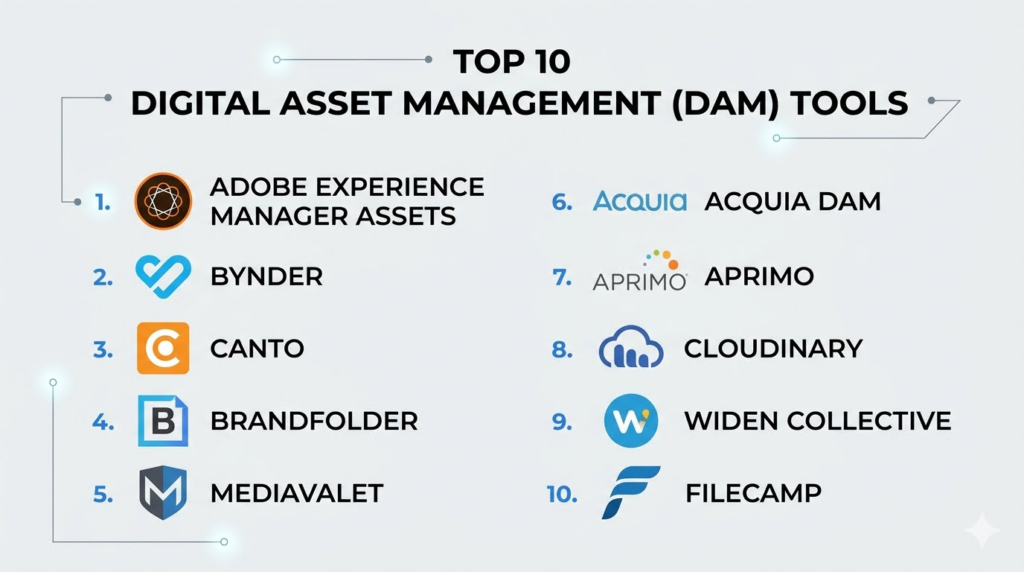
Introduction
Digital Asset Management (DAM) tools help organizations store, organize, manage, distribute, and secure digital content such as images, videos, documents, presentations, design files, and brand assets. These platforms centralize media libraries and make it easier for teams to search, collaborate, approve, and reuse content across departments and channels.As marketing operations, eCommerce, remote collaboration, and content production continue to scale, DAM platforms have become essential for maintaining brand consistency and operational efficiency. Businesses now manage thousands of digital assets across websites, social platforms, campaigns, marketplaces, and internal systems. Without a centralized DAM solution, teams often struggle with duplicate files, outdated content, inconsistent branding, and slow approval workflows.
Common real-world use cases include:
- Managing brand assets across global teams
- Centralizing marketing and creative content
- Distributing approved media files to agencies and partners
- Organizing product images for eCommerce operations
- Automating content approvals and publishing workflows
Buyers evaluating DAM tools should consider:
- Asset search and metadata capabilities
- AI tagging and content recognition
- Workflow automation and approvals
- Collaboration and version control
- Storage scalability and performance
- Integrations with CMS, CRM, and creative tools
- Security and access management
- Multi-brand and multi-region support
- Content delivery and sharing features
- Pricing flexibility and storage costs
Best for: Marketing teams, creative agencies, eCommerce brands, media companies, enterprise content operations, retail organizations, and businesses managing large volumes of digital content.
Not ideal for: Small teams with minimal content management needs or organizations that only require basic cloud file storage without workflow automation or brand governance capabilities.
Key Trends in Digital Asset Management (DAM)
- AI-powered auto-tagging and image recognition are improving asset search and organization.
- Video asset management is becoming a major focus area due to growing short-form and streaming content usage.
- Headless DAM architectures are gaining popularity for omnichannel content distribution.
- Creative workflow automation is reducing approval bottlenecks and manual file handling.
- Cloud-native DAM platforms are replacing legacy on-premise media libraries.
- Integration with creative suites and CMS platforms is becoming a critical buying factor.
- Rights management and compliance tracking are increasingly important for global brands.
- Personalized content delivery workflows are expanding for marketing teams.
- Real-time collaboration and annotation tools are improving remote creative operations.
- AI-powered content recommendations and duplicate detection are enhancing operational efficiency.
How We Selected These Tools (Methodology)
The following DAM platforms were selected using a balanced evaluation framework focused on business usability, scalability, and operational maturity.
- Evaluated overall market adoption and enterprise presence
- Compared asset organization and metadata capabilities
- Assessed workflow automation and collaboration features
- Reviewed AI tagging and search functionality
- Evaluated integration ecosystems and API flexibility
- Considered scalability for enterprise content operations
- Assessed usability for marketing and creative teams
- Reviewed security posture and governance capabilities
- Compared storage flexibility and deployment models
- Included a mix of enterprise, mid-market, and SMB-friendly solutions
Top 10 Digital Asset Management (DAM) Tools
1- Adobe Experience Manager Assets
Short Description:
Adobe Experience Manager Assets is an enterprise-grade DAM platform designed for large organizations managing complex digital content operations. It provides centralized asset storage, AI-powered search, workflow automation, and deep integration with the Adobe ecosystem. The platform is widely used by global marketing teams, media companies, and enterprise creative operations that require advanced governance and omnichannel content distribution capabilities.
Key Features
- AI-powered asset tagging
- Advanced metadata management
- Omnichannel asset delivery
- Workflow automation
- Version control and approvals
- Dynamic media optimization
- Enterprise content governance
Pros
- Strong enterprise scalability
- Excellent Adobe ecosystem integration
- Advanced AI search and tagging
Cons
- Complex implementation process
- Premium enterprise pricing
- Requires operational expertise
Platforms / Deployment
- Web
- Cloud / Hybrid
Security & Compliance
- SSO/SAML
- MFA
- RBAC
- Audit logs
- GDPR support
Integrations & Ecosystem
Adobe Experience Manager Assets integrates deeply with marketing, creative, and enterprise content ecosystems.
- Adobe Creative Cloud
- Adobe Experience Cloud
- Salesforce
- Microsoft Dynamics
- APIs
- CMS platforms
Support & Community
Strong enterprise onboarding, implementation consulting, training resources, and global partner ecosystem.
2- Bynder
Short Description:
Bynder is a cloud-native DAM platform focused on brand consistency, creative collaboration, and marketing operations. It helps organizations centralize digital assets while streamlining approvals, content sharing, and campaign workflows. Bynder is popular among retail, eCommerce, and brand-heavy organizations needing fast asset access and scalable collaboration capabilities.
Key Features
- Brand portal management
- Workflow automation
- AI-powered asset search
- Creative collaboration tools
- Content approval workflows
- Version control
- Multi-brand management
Pros
- User-friendly interface
- Strong brand management workflows
- Good collaboration capabilities
Cons
- Enterprise pricing can increase quickly
- Advanced customization may require support
- Reporting depth varies by plan
Platforms / Deployment
- Web
- Cloud
Security & Compliance
- SSO/SAML
- MFA
- RBAC
- GDPR support
Integrations & Ecosystem
Bynder integrates with creative tools, CMS platforms, and marketing ecosystems for streamlined content operations.
- Adobe Creative Cloud
- Shopify
- WordPress
- Salesforce
- Microsoft Office
- APIs
Support & Community
Strong onboarding services, implementation guidance, and active enterprise customer support.
3- Canto
Short Description:
Canto is a DAM platform designed for SMBs and mid-market businesses looking for easy asset organization and collaboration. The platform provides centralized storage, visual search, workflow automation, and branded content portals. It is commonly used by marketing and creative teams seeking operational simplicity without enterprise-level complexity.
Key Features
- Visual asset organization
- Smart tagging
- Brand portals
- Workflow approvals
- Version management
- File sharing and distribution
- AI-powered search
Pros
- Easy to use
- Fast deployment process
- Good SMB and mid-market fit
Cons
- Limited enterprise customization
- Advanced analytics are basic
- Large-scale governance capabilities are limited
Platforms / Deployment
- Web / iOS / Android
- Cloud
Security & Compliance
- MFA
- RBAC
- Encryption
- GDPR support
Integrations & Ecosystem
Canto integrates with marketing, creative, and collaboration tools to simplify asset sharing.
- Adobe Creative Cloud
- Dropbox
- WordPress
- HubSpot
- APIs
- Microsoft Office
Support & Community
Responsive customer support with onboarding assistance and practical documentation.
4- Brandfolder
Short Description:
Brandfolder is a DAM platform focused on brand management, asset organization, and marketing collaboration. It provides AI-powered tagging, analytics, and centralized content distribution for marketing and creative teams. The platform is especially popular among organizations prioritizing brand consistency and external partner collaboration.
Key Features
- AI-powered tagging
- Brand asset portals
- Usage analytics
- Smart search capabilities
- Collaboration workflows
- Content sharing controls
- Version management
Pros
- Excellent brand organization
- Strong collaboration workflows
- Good analytics visibility
Cons
- Premium pricing structure
- Advanced workflows require setup effort
- Some customization limitations
Platforms / Deployment
- Web
- Cloud
Security & Compliance
- SSO/SAML
- MFA
- RBAC
- Audit logs
Integrations & Ecosystem
Brandfolder integrates with marketing, CMS, and creative ecosystems for centralized brand operations.
- Adobe Creative Cloud
- Slack
- WordPress
- Salesforce
- APIs
- Marketing platforms
Support & Community
Good onboarding resources, customer support, and implementation guidance for marketing teams.
5- MediaValet
Short Description:
MediaValet is a cloud-based DAM platform designed for enterprise marketing and content operations. It offers centralized storage, AI-powered metadata tagging, workflow automation, and global asset distribution capabilities. The platform is widely used by organizations handling large media libraries and international brand operations.
Key Features
- AI metadata tagging
- Global CDN delivery
- Workflow automation
- Asset lifecycle management
- Version control
- Enterprise search
- Multi-region asset distribution
Pros
- Strong scalability
- Excellent search capabilities
- Good enterprise asset governance
Cons
- Enterprise-focused pricing
- Learning curve for advanced features
- Implementation may require planning
Platforms / Deployment
- Web
- Cloud
Security & Compliance
- SSO/SAML
- MFA
- RBAC
- Audit logs
- GDPR support
Integrations & Ecosystem
MediaValet integrates with creative suites, productivity tools, and marketing ecosystems.
- Adobe Creative Cloud
- Microsoft 365
- Salesforce
- WordPress
- APIs
- CMS platforms
Support & Community
Enterprise onboarding, implementation assistance, and dedicated customer support programs.
6- Acquia DAM
Short Description:
Acquia DAM helps organizations centralize and distribute digital assets while improving marketing collaboration and brand governance. The platform is particularly useful for teams already operating within broader Acquia and Drupal ecosystems. It supports metadata management, asset sharing, and workflow automation for marketing operations.
Key Features
- Metadata management
- Workflow approvals
- Brand asset organization
- Asset sharing portals
- Search and filtering
- Version control
- User permissions management
Pros
- Strong Drupal ecosystem compatibility
- Good governance controls
- Useful marketing workflows
Cons
- Smaller ecosystem than some competitors
- Enterprise-focused deployment complexity
- UI may feel dated for some users
Platforms / Deployment
- Web
- Cloud
Security & Compliance
- MFA
- RBAC
- SSO/SAML
- Audit logs
Integrations & Ecosystem
Acquia DAM integrates with CMS, marketing automation, and collaboration systems.
- Drupal
- Adobe Creative Cloud
- Salesforce
- APIs
- Marketing platforms
Support & Community
Reliable enterprise support with implementation services and documentation resources.
7- Aprimo
Short Description:
Aprimo combines DAM capabilities with marketing resource management and workflow automation. It is designed for enterprise marketing teams managing high-volume campaigns, approvals, and content distribution processes. The platform emphasizes operational governance and centralized marketing collaboration.
Key Features
- Marketing workflow automation
- Digital asset management
- Content lifecycle tracking
- Approval workflows
- Metadata management
- Collaboration tools
- Resource planning capabilities
Pros
- Strong enterprise marketing workflows
- Good governance and approvals
- Broad operational visibility
Cons
- Higher implementation complexity
- Premium pricing
- Requires process planning for full value
Platforms / Deployment
- Web
- Cloud
Security & Compliance
- SSO/SAML
- MFA
- RBAC
- Audit logs
Integrations & Ecosystem
Aprimo integrates with enterprise marketing, CRM, and content management systems.
- Salesforce
- Adobe Creative Cloud
- Microsoft 365
- APIs
- Marketing automation platforms
Support & Community
Enterprise onboarding, implementation consulting, and customer success programs are available.
8- Cloudinary
Short Description:
Cloudinary is a developer-friendly DAM and media management platform specializing in image and video optimization, delivery, and automation. It is widely used by eCommerce companies, SaaS platforms, and digital-first organizations requiring scalable media delivery and transformation capabilities.
Key Features
- Media optimization automation
- Video management
- AI tagging
- CDN delivery
- Developer APIs
- Image transformation workflows
- Asset management dashboards
Pros
- Excellent developer flexibility
- Strong image and video optimization
- Scalable cloud delivery infrastructure
Cons
- More technical setup requirements
- Less marketing workflow depth
- Better suited for digital-first teams
Platforms / Deployment
- Web
- Cloud
Security & Compliance
- MFA
- Encryption
- RBAC
- GDPR support
Integrations & Ecosystem
Cloudinary integrates with development frameworks, eCommerce platforms, and CMS systems.
- Shopify
- WordPress
- APIs
- Adobe Creative Cloud
- Headless CMS platforms
Support & Community
Strong developer documentation, APIs, and active technical community support.
9- Widen Collective
Short Description:
Widen Collective is an enterprise DAM platform focused on centralized asset management, brand consistency, and workflow collaboration. It supports metadata organization, asset sharing, analytics, and content lifecycle management for large marketing operations.
Key Features
- Metadata management
- Workflow automation
- Asset lifecycle tracking
- Analytics dashboards
- Brand portals
- Search capabilities
- Governance controls
Pros
- Strong enterprise asset governance
- Good workflow flexibility
- Comprehensive asset organization
Cons
- Enterprise-focused complexity
- Requires onboarding planning
- Higher operational cost
Platforms / Deployment
- Web
- Cloud
Security & Compliance
- SSO/SAML
- MFA
- RBAC
- Audit logs
Integrations & Ecosystem
Widen Collective integrates with creative, marketing, and CMS ecosystems to streamline asset workflows.
- Adobe Creative Cloud
- Salesforce
- WordPress
- APIs
- Marketing automation tools
Support & Community
Strong onboarding support, implementation guidance, and enterprise customer assistance.
10- Filecamp
Short Description:
Filecamp is a lightweight DAM platform designed for SMBs and creative teams needing affordable asset organization and sharing capabilities. It provides branded portals, metadata tagging, user permissions, and workflow collaboration features without enterprise-level complexity.
Key Features
- Branded asset portals
- Metadata tagging
- User permissions
- Asset sharing
- Search and filtering
- Collaboration tools
- Workflow organization
Pros
- Affordable pricing
- Easy onboarding
- Good SMB usability
Cons
- Limited enterprise capabilities
- Smaller integration ecosystem
- Advanced analytics are basic
Platforms / Deployment
- Web
- Cloud
Security & Compliance
- MFA
- RBAC
- Encryption
Integrations & Ecosystem
Filecamp integrates with collaboration and productivity tools for simplified content sharing.
- Adobe Creative Cloud
- Dropbox
- APIs
- Collaboration tools
Support & Community
Responsive SMB-focused customer support with practical onboarding assistance.
Comparison Table
| Tool Name | Best For | Platform(s) Supported | Deployment | Standout Feature | Public Rating |
|---|---|---|---|---|---|
| Adobe Experience Manager Assets | Enterprise content operations | Web | Cloud / Hybrid | AI-powered enterprise DAM | N/A |
| Bynder | Brand management | Web | Cloud | Brand collaboration workflows | N/A |
| Canto | SMB content organization | Web, iOS, Android | Cloud | Ease of use | N/A |
| Brandfolder | Marketing collaboration | Web | Cloud | Brand asset analytics | N/A |
| MediaValet | Enterprise media operations | Web | Cloud | Global asset distribution | N/A |
| Acquia DAM | Drupal ecosystem users | Web | Cloud | CMS integration | N/A |
| Aprimo | Enterprise marketing operations | Web | Cloud | Workflow governance | N/A |
| Cloudinary | Developer-first media management | Web | Cloud | Media optimization automation | N/A |
| Widen Collective | Enterprise DAM governance | Web | Cloud | Lifecycle management | N/A |
| Filecamp | SMB creative teams | Web | Cloud | Affordable DAM workflows | N/A |
Evaluation & Scoring of Digital Asset Management (DAM) Tools
| Tool Name | Core (25%) | Ease (15%) | Integrations (15%) | Security (10%) | Performance (10%) | Support (10%) | Value (15%) | Weighted Total |
|---|---|---|---|---|---|---|---|---|
| Adobe Experience Manager Assets | 10 | 7 | 10 | 9 | 9 | 9 | 6 | 8.6 |
| Bynder | 9 | 8 | 8 | 8 | 8 | 8 | 7 | 8.0 |
| Canto | 8 | 9 | 7 | 7 | 8 | 8 | 9 | 8.1 |
| Brandfolder | 8 | 8 | 8 | 8 | 8 | 8 | 7 | 7.9 |
| MediaValet | 9 | 7 | 8 | 8 | 9 | 8 | 7 | 8.0 |
| Acquia DAM | 8 | 7 | 8 | 8 | 8 | 7 | 7 | 7.6 |
| Aprimo | 9 | 6 | 8 | 9 | 8 | 8 | 6 | 7.8 |
| Cloudinary | 9 | 7 | 9 | 8 | 9 | 8 | 8 | 8.3 |
| Widen Collective | 8 | 7 | 8 | 8 | 8 | 8 | 7 | 7.8 |
| Filecamp | 7 | 9 | 6 | 7 | 7 | 7 | 9 | 7.6 |
These scores are comparative and designed to help buyers evaluate DAM platforms across different operational priorities. Enterprise-focused tools generally score higher in governance, scalability, and integration depth, while SMB-focused platforms often provide better simplicity and pricing value. The highest score does not necessarily mean the platform is the best fit for every organization. Buyers should prioritize the capabilities most aligned with their workflows, such as creative collaboration, omnichannel delivery, compliance, or developer flexibility. Running pilot implementations with actual asset workflows is strongly recommended before finalizing a long-term platform investment.
Which Digital Asset Management (DAM) Tool Is Right for You?
Solo / Freelancer
Freelancers, photographers, and small creative teams generally benefit most from lightweight and affordable DAM platforms like Filecamp or Canto. These tools provide centralized organization, search functionality, and sharing capabilities without enterprise-level complexity.
SMB
SMBs often require a balance between collaboration, automation, and affordability. Bynder, Brandfolder, and Canto are strong options for marketing and creative teams managing growing content libraries while maintaining operational simplicity.
Mid-Market
Mid-market organizations should prioritize workflow automation, integration ecosystems, and governance controls. MediaValet and Brandfolder provide strong operational scalability while remaining easier to manage than some enterprise-heavy platforms.
Enterprise
Large enterprises typically require advanced governance, AI tagging, workflow automation, and omnichannel content distribution. Adobe Experience Manager Assets and Aprimo are particularly strong for organizations managing global content operations and complex marketing workflows.
Budget vs Premium
Budget-conscious teams may prefer Filecamp or Canto because of their lower operational costs and simpler deployment models. Enterprise-grade platforms like Adobe Experience Manager Assets and Aprimo provide broader functionality but require significantly larger investments.
Feature Depth vs Ease of Use
Platforms with deeper operational functionality usually involve longer onboarding and configuration processes. Adobe Experience Manager Assets and Aprimo provide advanced enterprise capabilities, while Canto and Filecamp emphasize simplicity and ease of adoption.
Integrations & Scalability
Organizations using complex CMS, CRM, and marketing ecosystems should prioritize DAM platforms with mature APIs and integration capabilities. Adobe Experience Manager Assets, Bynder, and Cloudinary offer strong scalability and ecosystem flexibility.
Security & Compliance Needs
Healthcare, finance, retail, and regulated industries should prioritize platforms with SSO, MFA, RBAC, audit logging, and governance controls. Enterprise-focused DAM solutions generally provide stronger compliance and operational oversight capabilities.
Frequently Asked Questions
1. What is a Digital Asset Management platform?
A Digital Asset Management platform helps organizations centralize, organize, store, search, and distribute digital files such as images, videos, presentations, design files, and marketing assets. DAM tools improve collaboration, reduce duplicate content issues, and ensure teams use approved brand materials. They also streamline workflows for approvals, sharing, and publishing. Many modern DAM systems now include AI-powered search and metadata tagging capabilities.
2. Who typically uses DAM platforms?
DAM platforms are widely used by marketing teams, creative agencies, eCommerce companies, retailers, media organizations, and enterprise content operations teams. Businesses managing large volumes of digital assets often rely on DAM systems to maintain consistency and operational efficiency. Smaller creative teams may also use DAM tools to improve collaboration and asset organization. The exact use case depends on organizational size and content complexity.
3. How do DAM systems improve productivity?
DAM systems centralize asset storage and make it easier for teams to find approved files quickly. Instead of searching across emails, folders, or cloud drives, users can access organized libraries with metadata tagging and advanced search capabilities. Workflow automation also reduces manual approval bottlenecks. These improvements save time and reduce operational inefficiencies across marketing and creative teams.
4. Are cloud storage platforms enough instead of a DAM tool?
Basic cloud storage solutions help with file sharing but usually lack metadata management, workflow automation, brand governance, and advanced search capabilities. DAM platforms provide operational structure specifically designed for digital content management. Organizations managing large media libraries or distributed creative teams often outgrow basic storage solutions quickly. DAM systems also improve compliance and content consistency.
5. What integrations are most important in DAM platforms?
Creative suite integrations, CMS connectivity, CRM integrations, marketing automation tools, and APIs are often the most important capabilities. Businesses should evaluate how well the DAM platform connects with their existing workflows. Integration maturity directly impacts operational efficiency and content distribution speed. API flexibility is also important for scalability and automation.
6. How important is AI in modern DAM systems?
AI is becoming increasingly important for auto-tagging, image recognition, duplicate detection, metadata generation, and search optimization. AI capabilities help teams organize content faster and improve asset discoverability. However, human oversight remains important for governance and quality control. AI features should improve workflows rather than replace operational processes completely.
7. Are DAM platforms difficult to implement?
Implementation complexity varies significantly depending on organizational size and workflow requirements. SMB deployments may only require a few days, while enterprise implementations involving integrations, governance rules, and migration planning can take weeks or months. Proper onboarding and metadata strategy planning are critical for successful deployments. Larger organizations often require implementation consulting.
8. How do DAM platforms support brand consistency?
DAM systems centralize approved brand assets and ensure employees, partners, and agencies use the correct files. Version control and permissions management reduce the risk of outdated or unauthorized assets being distributed. Brand portals also simplify external sharing workflows. This improves consistency across campaigns, websites, social media, and customer-facing materials.
9. Can DAM systems handle video content effectively?
Yes. Modern DAM platforms increasingly support video asset management, streaming optimization, metadata tagging, and CDN-based delivery. Video workflows are becoming a major focus area because of growing demand for short-form content, streaming, and omnichannel marketing campaigns. Platforms like Cloudinary and Adobe Experience Manager Assets are particularly strong for video operations.
10. What should businesses prioritize when selecting a DAM platform?
Businesses should focus on workflow fit, integration capabilities, scalability, security, metadata management, and ease of use. Organizations with complex content operations may require advanced governance and automation features, while smaller teams may prioritize simplicity and affordability. Running pilot workflows with actual assets is strongly recommended before making a final purchasing decision.
Conclusion
Digital Asset Management platforms have become essential operational systems for organizations managing growing volumes of digital content across marketing, sales, eCommerce, and creative workflows. Modern DAM solutions go far beyond simple file storage by providing AI-powered search, workflow automation, collaboration tools, governance controls, and omnichannel content distribution capabilities. The best platform depends heavily on organizational size, content complexity, integration requirements, and operational maturity. Enterprise organizations may prioritize scalability and governance through platforms like Adobe Experience Manager Assets or Aprimo, while SMBs and creative teams may prefer the simplicity and affordability of Canto or Filecamp. Developer-focused organizations may also benefit from Cloudinary’s media automation capabilities. Rather than selecting a platform solely based on feature lists, organizations should evaluate workflow compatibility, security requirements, integration ecosystems, and long-term scalability. Shortlisting a few platforms and testing them using real asset workflows is usually the best next step before making a long-term DAM investment.
