MOTOSHARE 🚗🏍️
Rent Bikes & Cars Directly from Owners
Motoshare connects vehicle owners with people who need bikes and cars on rent. Owners earn from idle vehicles, and renters get flexible ride options.
Visit Motoshare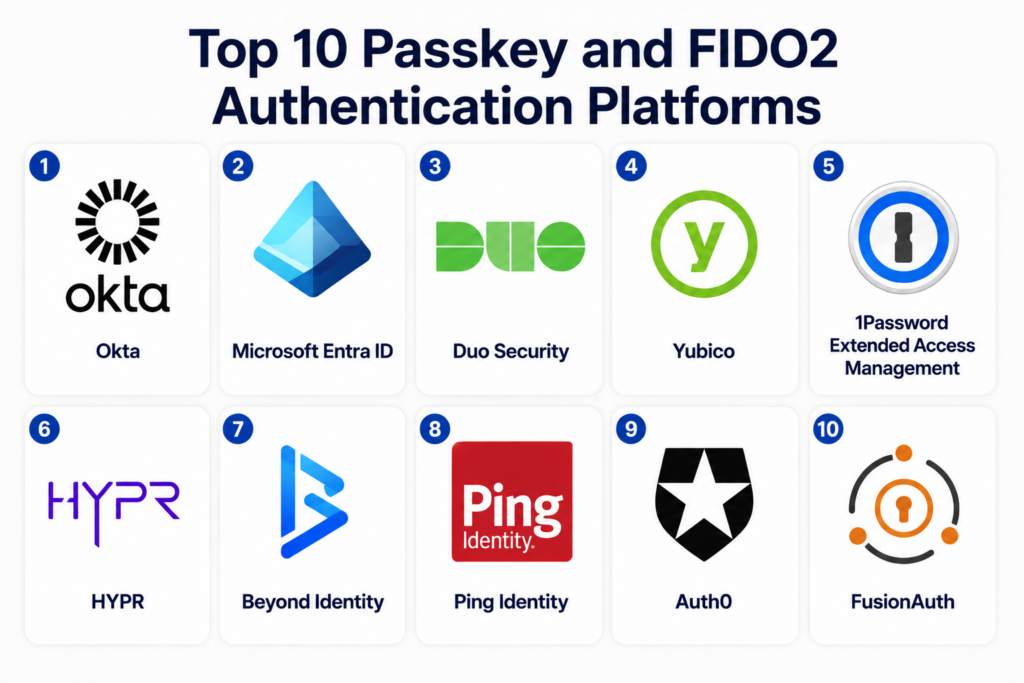
Introduction
Passkey and FIDO2 authentication platforms help organizations move away from traditional passwords and adopt stronger, phishing-resistant login methods. These platforms use public-key cryptography, device-based authentication, biometrics, hardware security keys, and standards such as WebAuthn and FIDO2 to protect user accounts. Instead of typing passwords, users can authenticate with fingerprint, face unlock, device PIN, or a physical security key.This category matters because passwords are still one of the weakest points in enterprise security. Stolen credentials, phishing attacks, password reuse, and weak MFA methods create major risks for businesses. Passkeys and FIDO2 reduce these risks by making authentication harder to steal, replay, or phish.
Common real-world use cases include:
- Passwordless workforce login
- Customer identity and access management
- Phishing-resistant MFA
- Secure admin access
- Hardware security key deployment
- Zero trust authentication programs
Buyers should evaluate:
- FIDO2 and WebAuthn support
- Passkey lifecycle management
- Identity provider integrations
- Device and browser compatibility
- Admin policy controls
- Recovery and fallback options
- User onboarding experience
- Enterprise reporting
- Compliance support
- Security key compatibility
Best for: enterprises, SaaS companies, financial services, healthcare organizations, government agencies, IT teams, security teams, and businesses that want phishing-resistant authentication.
Not ideal for: very small teams with simple login needs, organizations without identity management maturity, or businesses unable to support device enrollment and user recovery workflows.
Key Trends in Passkey and FIDO2 Authentication Platforms
- Passwordless authentication is becoming a major part of zero trust security programs.
- Passkeys are expanding across consumer and enterprise login experiences.
- FIDO2 is becoming a preferred option for phishing-resistant MFA.
- Hardware security keys remain important for privileged and high-risk users.
- Identity providers are adding native passkey support into workforce authentication.
- Customer identity platforms are using passkeys to reduce login friction.
- Device-bound and synced passkeys are creating new policy decisions for security teams.
- Recovery workflows are becoming a major evaluation point for enterprises.
- Compliance-focused industries are adopting stronger authentication for sensitive access.
- Passwordless rollout planning is becoming as important as the authentication technology itself.
How We Selected These Tools Methodology
The tools in this list were selected based on authentication strength, enterprise adoption, FIDO2 support, passkey readiness, usability, and integration flexibility.
Selection factors included:
- Support for FIDO2, WebAuthn, and passkeys
- Enterprise identity integration
- Workforce and customer authentication fit
- Security policy controls
- Hardware security key support
- User onboarding and recovery workflows
- Admin reporting and governance
- Cloud and hybrid deployment readiness
- Documentation and support quality
- Suitability across SMB, mid-market, and enterprise environments
Top 10 Passkey and FIDO2 Authentication Platforms
#1 — Okta
Short description: Okta is a leading identity and access management platform that supports passwordless authentication, phishing-resistant MFA, and passkey-based login workflows. It is widely used by enterprises to manage workforce identity, application access, and security policies. Okta is a strong fit for organizations that need flexible authentication across many cloud and SaaS applications. Its passkey and FIDO2 support helps teams modernize login security while improving user experience.
Key Features
- Passkey and WebAuthn support
- FIDO2 security key authentication
- Adaptive MFA policies
- Single sign-on
- Lifecycle management
- Device and context-aware access
- Broad SaaS application integrations
Pros
- Strong enterprise identity ecosystem
- Good fit for large SaaS environments
- Flexible policy and access controls
Cons
- Advanced features may require higher plans
- Setup can be complex for large environments
- Requires careful governance planning
Platforms / Deployment
- Web / Windows / macOS / Linux / iOS / Android
- Cloud / Hybrid
Security & Compliance
- MFA
- SSO and SAML
- RBAC
- Audit logs
- Compliance certifications vary by deployment
Integrations & Ecosystem
Okta integrates with a wide range of enterprise applications, directories, and security platforms. It works well for organizations that need centralized identity governance and passwordless access.
- Microsoft Entra ID
- Google Workspace
- Salesforce
- Workday
- ServiceNow
- Security information and event management tools
Support & Community
Okta offers enterprise support, documentation, professional services, and a large partner ecosystem.
#2 — Microsoft Entra ID
Short description: Microsoft Entra ID provides enterprise identity management with strong support for passwordless authentication, FIDO2 security keys, Windows Hello for Business, and passkey-style workflows. It is especially useful for organizations already invested in Microsoft cloud, Windows endpoints, and Microsoft 365. Entra ID helps teams enforce phishing-resistant authentication across users, devices, and applications. It is a strong choice for enterprises standardizing identity around Microsoft ecosystems.
Key Features
- FIDO2 security key support
- Windows Hello for Business
- Passwordless sign-in
- Conditional Access policies
- Single sign-on
- Identity protection
- Device-based access controls
Pros
- Excellent Microsoft ecosystem integration
- Strong enterprise policy controls
- Good fit for Windows-heavy environments
Cons
- Best experience inside Microsoft ecosystem
- Advanced configuration can be complex
- Hybrid identity requires careful planning
Platforms / Deployment
- Web / Windows / macOS / iOS / Android
- Cloud / Hybrid
Security & Compliance
- MFA
- SAML and OIDC
- Conditional Access
- Audit logs
- RBAC
- Compliance certifications vary by Microsoft cloud service
Integrations & Ecosystem
Microsoft Entra ID integrates deeply with Microsoft 365, Windows, Azure, and enterprise security tools.
- Microsoft 365
- Azure
- Windows endpoints
- Microsoft Defender
- SaaS applications
- Enterprise directories
Support & Community
Strong enterprise support, extensive documentation, and broad partner ecosystem.
#3 — Duo Security
Short description: Duo Security provides MFA, device trust, and passwordless authentication capabilities for workforce security. It supports WebAuthn and FIDO2 security keys for stronger authentication. Duo is especially useful for organizations that want to improve login security without replacing their entire identity provider. It is widely used for VPN, application access, privileged access, and remote workforce protection.
Key Features
- FIDO2 security key support
- WebAuthn authentication
- Adaptive MFA
- Device trust checks
- Passwordless authentication
- Application access policies
- User access reporting
Pros
- Easy MFA rollout experience
- Strong device trust capabilities
- Works with many existing identity systems
Cons
- Not a full identity provider replacement for every use case
- Advanced passwordless workflows may need planning
- Policy complexity can grow with scale
Platforms / Deployment
- Web / Windows / macOS / Linux / iOS / Android
- Cloud / Hybrid
Security & Compliance
- MFA
- Device trust
- Audit logs
- Access policies
- Compliance certifications vary by deployment
Integrations & Ecosystem
Duo integrates with identity providers, VPNs, cloud apps, and infrastructure access systems.
- VPN platforms
- Microsoft Entra ID
- Okta
- Google Workspace
- Remote access tools
- SaaS applications
Support & Community
Strong enterprise documentation, broad support resources, and mature customer onboarding.
#4 — Yubico
Short description: Yubico is best known for YubiKey hardware security keys used for FIDO2, WebAuthn, and phishing-resistant MFA. YubiKeys help organizations secure high-risk users, privileged administrators, developers, and regulated access workflows. Yubico is a strong fit for enterprises that need physical security keys as part of passwordless or multi-factor authentication programs. It works across many identity providers and online services.
Key Features
- FIDO2 security keys
- WebAuthn support
- Hardware-backed authentication
- Smart card support on selected models
- Multi-protocol security keys
- Enterprise key deployment support
- Strong phishing resistance
Pros
- Excellent phishing-resistant authentication
- Broad identity provider compatibility
- Strong fit for privileged users
Cons
- Physical key distribution requires planning
- Lost key recovery needs clear workflows
- User training is important
Platforms / Deployment
- Windows / macOS / Linux / iOS / Android / Web
- Hardware / Hybrid
Security & Compliance
- Hardware-backed authentication
- FIDO2
- WebAuthn
- Strong cryptographic key protection
- Compliance certifications vary by product and deployment
Integrations & Ecosystem
Yubico integrates with major identity providers, browsers, operating systems, and enterprise security workflows.
- Okta
- Microsoft Entra ID
- Google Workspace
- Duo
- GitHub
- Enterprise VPN and access systems
Support & Community
Strong documentation, enterprise deployment guidance, and large security community adoption.
#5 — 1Password Extended Access Management
Short description: 1Password Extended Access Management combines password management, passkeys, device trust, and access governance to help teams secure employee access. It supports passkey storage and usage while helping organizations manage secrets and credentials across applications. It is useful for businesses that want to improve authentication security without creating unnecessary user friction. The platform is especially helpful for teams with distributed workforces and SaaS-heavy environments.
Key Features
- Passkey support
- Password and secrets management
- Device trust capabilities
- Employee access visibility
- Secure sharing workflows
- Browser and desktop apps
- Admin policy controls
Pros
- Strong user-friendly experience
- Useful for both passwords and passkeys
- Good fit for distributed teams
Cons
- Not a complete identity provider replacement
- Enterprise controls depend on plan
- Requires user adoption discipline
Platforms / Deployment
- Web / Windows / macOS / Linux / iOS / Android
- Cloud / Hybrid
Security & Compliance
- Encryption
- MFA
- Admin controls
- Audit logs
- Compliance certifications vary by offering
Integrations & Ecosystem
1Password integrates with browsers, SaaS tools, identity platforms, and developer workflows.
- Browsers
- Okta
- Microsoft Entra ID
- Slack
- GitHub
- Developer tools
Support & Community
Strong onboarding resources, enterprise support options, and large user community.
#6 — HYPR
Short description: HYPR is a passwordless authentication platform focused on enterprise-grade phishing-resistant login experiences. It helps organizations reduce password dependency through device-based authentication, FIDO-aligned workflows, and secure access policies. HYPR is often used by enterprises that want passwordless workforce authentication across desktops, mobile devices, and applications. It is a strong option for organizations prioritizing secure user experience and identity modernization.
Key Features
- Passwordless authentication
- FIDO-based workflows
- Device-based authentication
- Enterprise policy controls
- Mobile authentication support
- Risk-based login support
- Workforce identity integration
Pros
- Strong focus on passwordless security
- Good enterprise deployment capabilities
- Useful for reducing phishing risk
Cons
- Enterprise rollout may require planning
- Smaller teams may not need full platform depth
- Integration complexity varies by environment
Platforms / Deployment
- Web / Windows / macOS / iOS / Android
- Cloud / Hybrid
Security & Compliance
- Passwordless authentication
- Device-bound credentials
- Enterprise access controls
- Compliance certifications: Not publicly stated
Integrations & Ecosystem
HYPR integrates with enterprise identity providers, applications, and workforce authentication workflows.
- Identity providers
- Enterprise applications
- Desktop login workflows
- Mobile authentication
- Access management systems
Support & Community
Enterprise-focused support with deployment guidance for passwordless programs.
#7 — Beyond Identity
Short description: Beyond Identity provides passwordless authentication with strong device identity and phishing-resistant access controls. The platform focuses on eliminating passwords while verifying user and device trust before granting access. It is useful for organizations that want strong authentication tied to device posture and identity signals. Beyond Identity is especially relevant for zero trust security programs.
Key Features
- Passwordless authentication
- Device identity verification
- Phishing-resistant MFA
- Access policy enforcement
- Continuous trust signals
- Enterprise integration support
- User and device risk controls
Pros
- Strong device trust model
- Useful for zero trust strategies
- Reduces password-based attack risk
Cons
- Requires device enrollment strategy
- Enterprise deployment planning is important
- May be more than small teams need
Platforms / Deployment
- Web / Windows / macOS / Linux / iOS / Android
- Cloud / Hybrid
Security & Compliance
- Device-bound authentication
- Policy-based access
- MFA
- Audit controls
- Compliance certifications: Not publicly stated
Integrations & Ecosystem
Beyond Identity integrates with identity providers, endpoint systems, and enterprise access workflows.
- Okta
- Microsoft Entra ID
- Google Workspace
- Endpoint security systems
- SaaS applications
- Zero trust platforms
Support & Community
Enterprise-focused support with strong emphasis on rollout strategy and device trust adoption.
#8 — Ping Identity
Short description: Ping Identity provides enterprise identity and access management capabilities with support for passwordless authentication, FIDO2, and customer identity workflows. It is used by large organizations that need flexible authentication, federation, and identity orchestration. Ping is a strong fit for enterprises with complex identity environments across workforce, partner, and customer access. Its platform supports secure login modernization and standards-based authentication.
Key Features
- Passwordless authentication
- FIDO2 support
- Identity federation
- Customer identity management
- Adaptive authentication
- API security integration
- Enterprise policy controls
Pros
- Strong enterprise identity capabilities
- Good fit for complex environments
- Supports workforce and customer use cases
Cons
- Implementation can be complex
- Enterprise-focused pricing
- Requires identity expertise
Platforms / Deployment
- Web / Cloud environments
- Cloud / Self-hosted / Hybrid
Security & Compliance
- SSO
- SAML and OIDC
- MFA
- RBAC
- Audit logs
- Compliance certifications vary by deployment
Integrations & Ecosystem
Ping Identity integrates with enterprise applications, APIs, directories, and customer-facing platforms.
- Enterprise directories
- SaaS applications
- API gateways
- Customer identity systems
- Cloud infrastructure
- Security platforms
Support & Community
Strong enterprise support, professional services, and documentation for complex identity programs.
#9 — Auth0
Short description: Auth0 is a customer identity platform that supports passkeys, WebAuthn, and passwordless login experiences for applications. Developers use Auth0 to add secure authentication into web and mobile apps without building identity systems from scratch. It is especially useful for SaaS companies and digital businesses that want to improve customer login security. Auth0 provides flexibility for modern authentication flows and developer-first implementation.
Key Features
- Passkey support
- WebAuthn authentication
- Passwordless login
- Social login
- Developer-friendly APIs
- Adaptive authentication
- Customer identity workflows
Pros
- Strong developer experience
- Good fit for customer-facing applications
- Flexible authentication workflows
Cons
- Costs can scale with usage
- Advanced customization may need development effort
- Enterprise governance depends on configuration
Platforms / Deployment
- Web / iOS / Android
- Cloud / Hybrid
Security & Compliance
- MFA
- SSO
- OIDC and SAML
- Audit logs
- Compliance certifications vary by plan and deployment
Integrations & Ecosystem
Auth0 integrates into modern application stacks and customer identity workflows.
- Web applications
- Mobile applications
- SaaS platforms
- APIs
- Social identity providers
- Developer frameworks
Support & Community
Strong developer documentation, community resources, and enterprise support options.
#10 — FusionAuth
Short description: FusionAuth is a developer-focused identity platform that supports passwordless login, WebAuthn, and application authentication workflows. It is useful for teams that want more control over identity infrastructure and deployment models. FusionAuth supports both self-hosted and cloud deployments, making it attractive for organizations with specific data control or architecture needs. It is a strong fit for developers building secure login experiences into custom applications.
Key Features
- WebAuthn support
- Passwordless authentication
- Customer identity workflows
- Self-hosted deployment option
- API-first identity management
- Multi-tenant application support
- Custom login experiences
Pros
- Flexible deployment options
- Strong developer control
- Useful for custom applications
Cons
- Requires more implementation ownership
- Enterprise governance depends on setup
- Less turnkey than larger identity providers
Platforms / Deployment
- Web / Linux / Docker / Cloud environments
- Cloud / Self-hosted / Hybrid
Security & Compliance
- MFA
- OIDC and SAML
- API security controls
- Audit logs
- Compliance certifications: Not publicly stated
Integrations & Ecosystem
FusionAuth integrates with developer stacks, web applications, APIs, and custom identity workflows.
- Web frameworks
- Mobile applications
- APIs
- Docker
- Kubernetes
- Custom SaaS platforms
Support & Community
Strong developer documentation, community resources, and commercial support options.
Comparison Table Top 10
| Tool Name | Best For | Platform Supported | Deployment | Standout Feature | Public Rating |
|---|---|---|---|---|---|
| Okta | Enterprise workforce identity | Web, Windows, macOS, iOS, Android | Cloud, Hybrid | Adaptive passwordless access | N/A |
| Microsoft Entra ID | Microsoft ecosystem authentication | Web, Windows, macOS, iOS, Android | Cloud, Hybrid | Windows Hello and FIDO2 support | N/A |
| Duo Security | MFA and device trust | Web, Windows, macOS, Linux, iOS, Android | Cloud, Hybrid | Easy phishing-resistant MFA rollout | N/A |
| Yubico | Hardware security keys | Web, Windows, macOS, Linux, iOS, Android | Hardware, Hybrid | FIDO2 security keys | N/A |
| 1Password Extended Access Management | Passkeys and secrets management | Web, Windows, macOS, Linux, iOS, Android | Cloud, Hybrid | Passkey and credential management | N/A |
| HYPR | Enterprise passwordless authentication | Web, Windows, macOS, iOS, Android | Cloud, Hybrid | Device-based passwordless login | N/A |
| Beyond Identity | Zero trust authentication | Web, Windows, macOS, Linux, iOS, Android | Cloud, Hybrid | Device-bound authentication | N/A |
| Ping Identity | Complex enterprise identity | Web, Cloud environments | Cloud, Self-hosted, Hybrid | Identity orchestration | N/A |
| Auth0 | Customer passkey authentication | Web, iOS, Android | Cloud, Hybrid | Developer-friendly passkey login | N/A |
| FusionAuth | Developer-controlled authentication | Web, Linux, Docker | Cloud, Self-hosted, Hybrid | Self-hosted WebAuthn support | N/A |
Evaluation & Scoring of Passkey and FIDO2 Authentication Platforms
| Tool Name | Core 25% | Ease 15% | Integrations 15% | Security 10% | Performance 10% | Support 10% | Value 15% | Weighted Total |
|---|---|---|---|---|---|---|---|---|
| Okta | 9 | 8 | 10 | 9 | 8 | 9 | 8 | 8.75 |
| Microsoft Entra ID | 9 | 8 | 10 | 9 | 8 | 9 | 9 | 8.90 |
| Duo Security | 8 | 9 | 9 | 9 | 8 | 9 | 8 | 8.55 |
| Yubico | 9 | 7 | 9 | 10 | 9 | 8 | 9 | 8.65 |
| 1Password Extended Access Management | 8 | 9 | 8 | 9 | 8 | 9 | 8 | 8.35 |
| HYPR | 8 | 8 | 8 | 9 | 8 | 8 | 7 | 8.00 |
| Beyond Identity | 8 | 8 | 8 | 9 | 8 | 8 | 7 | 8.00 |
| Ping Identity | 9 | 7 | 9 | 9 | 8 | 9 | 7 | 8.30 |
| Auth0 | 8 | 9 | 9 | 8 | 8 | 8 | 8 | 8.30 |
| FusionAuth | 8 | 8 | 8 | 8 | 8 | 8 | 9 | 8.10 |
These scores are comparative and should be interpreted based on your authentication use case. Workforce identity tools, customer identity platforms, password managers, and hardware security key vendors solve related but different problems. A high score does not mean one platform is best for every organization. Most enterprises will combine identity providers, passkey support, device policies, and hardware security keys for stronger authentication.
Which Passkey and FIDO2 Authentication Platform Is Right for You?
Solo / Freelancer
Solo users and freelancers should prioritize simple, secure, and low-friction authentication tools. 1Password and Yubico are strong choices because they support passkeys, secure credential storage, and phishing-resistant login. Developers building applications can also explore Auth0 or FusionAuth for adding passkey login to customer-facing apps.
SMB
Small and medium-sized businesses should focus on easy rollout, user adoption, and integration with existing SaaS tools. Duo Security, 1Password, Okta, and Microsoft Entra ID are strong options depending on current identity systems. SMBs should begin with high-risk users, then expand passkey and FIDO2 adoption across the organization.
Mid-Market
Mid-market organizations should prioritize identity governance, device compatibility, and phased rollout planning. Okta, Microsoft Entra ID, Duo, HYPR, and Beyond Identity are strong candidates for workforce passwordless authentication. Customer-facing teams may prefer Auth0 or FusionAuth for application login experiences.
Enterprise
Enterprises need scalable passkey lifecycle management, policy enforcement, device trust, audit logs, and broad application integrations. Microsoft Entra ID, Okta, Ping Identity, Duo, Yubico, and Beyond Identity are strong enterprise options. High-risk users such as administrators, executives, and developers should be prioritized for phishing-resistant authentication.
Budget vs Premium
Budget-conscious teams can start with built-in passkey support from identity providers or password managers. Premium platforms provide value through advanced policy controls, enterprise reporting, device trust, lifecycle management, and stronger governance. Hardware security keys add cost but provide excellent protection for high-risk accounts.
Feature Depth vs Ease of Use
Duo, 1Password, and Auth0 are often easier to adopt for specific use cases. Okta, Microsoft Entra ID, Ping Identity, HYPR, and Beyond Identity provide deeper enterprise controls but require more planning. Yubico provides excellent security but needs device distribution and recovery workflows.
Integrations & Scalability
Organizations should prioritize platforms that integrate with their existing identity provider, SaaS stack, endpoint systems, cloud platforms, and mobile devices. Microsoft Entra ID is strong for Microsoft-first organizations, while Okta and Ping Identity suit complex multi-application environments. Auth0 and FusionAuth are better for developer-led customer identity use cases.
Security & Compliance Needs
Security-sensitive organizations should prioritize phishing-resistant MFA, FIDO2, WebAuthn, audit logs, device trust, and strong recovery controls. Hardware security keys should be considered for privileged users. Enterprises should also validate compliance requirements, access policies, user recovery, and device lifecycle processes before rollout.
Frequently Asked Questions FAQs
1. What are passkeys?
Passkeys are passwordless login credentials based on public-key cryptography. Instead of typing a password, users authenticate with a device, biometric unlock, PIN, or security key. Passkeys are designed to reduce phishing risk and improve login convenience. They are commonly used across modern browsers, devices, and identity platforms.
2. What is FIDO2?
FIDO2 is an authentication standard that enables strong passwordless and phishing-resistant login. It includes WebAuthn and CTAP, which allow browsers, devices, and security keys to authenticate users securely. FIDO2 is widely used for passwordless login and hardware security key authentication. It is especially valuable for enterprise security programs.
3. Are passkeys more secure than passwords?
Yes, passkeys are generally more secure than passwords because they are not typed, reused, or shared with websites in the same way passwords are. They use cryptographic key pairs and are resistant to common phishing attacks. However, organizations still need strong recovery workflows and device management policies.
4. What is the difference between passkeys and security keys?
Passkeys can be stored on devices or synced through platform ecosystems, while security keys are physical hardware devices used for authentication. Security keys are often preferred for high-risk users because they provide strong hardware-backed protection. Both approaches can support FIDO2 and WebAuthn workflows.
5. Can passkeys replace MFA?
Passkeys can serve as strong authentication and may reduce the need for traditional password plus MFA flows. In many cases, passkeys provide phishing-resistant authentication in a single user action. However, organizations may still apply additional controls based on risk, device trust, or sensitive access requirements.
6. What are the biggest challenges with passkey adoption?
The biggest challenges include device compatibility, user onboarding, account recovery, shared device workflows, and policy design. Some users may be unfamiliar with passwordless login. Enterprises also need to decide how to handle synced passkeys, device-bound passkeys, and fallback authentication.
7. Are passkeys suitable for customer-facing applications?
Yes, passkeys can improve customer login security and reduce password reset friction. Platforms like Auth0 and FusionAuth help developers add passkey support to applications. Businesses should provide fallback options and clear onboarding instructions to improve adoption among customers.
8. Should enterprises use hardware security keys?
Enterprises should strongly consider hardware security keys for privileged users, administrators, developers, finance teams, and executives. Hardware-backed FIDO2 authentication provides strong protection against phishing and credential theft. However, organizations need processes for key distribution, backup keys, and lost key recovery.
9. How should a company start a passkey rollout?
A company should start with a pilot group such as IT admins, security teams, or developers. The rollout should test device compatibility, recovery workflows, identity provider policies, and user training. After pilot validation, the organization can expand to more users and applications gradually.
10. What is the best passkey platform for enterprises?
There is no single best platform for every enterprise. Microsoft-first organizations may prefer Microsoft Entra ID, while multi-cloud or SaaS-heavy organizations may choose Okta or Ping Identity. Duo, HYPR, Beyond Identity, Yubico, and 1Password may complement identity providers depending on security needs. The best choice depends on workforce architecture, customer identity needs, device strategy, and compliance requirements.
Conclusion
Passkey and FIDO2 authentication platforms are becoming essential for organizations that want to reduce password risk, improve user experience, and strengthen phishing-resistant security. The best solution depends on whether the organization needs workforce authentication, customer identity, hardware security keys, device trust, or passkey management. Microsoft Entra ID and Okta are strong choices for enterprise identity programs, while Duo, HYPR, and Beyond Identity help teams strengthen passwordless and device-based access. Yubico remains highly valuable for hardware-backed authentication, especially for privileged users, while Auth0 and FusionAuth are strong options for customer-facing applications. 1Password adds value for teams managing both credentials and passkeys across distributed workforces. Organizations should shortlist tools based on identity architecture, run a pilot with high-risk users, validate recovery and integration workflows, and then scale passkey adoption across critical applications.

Implementing comprehensive custom passwordless cryptographic credential security gateway utility software optimizes corporate digital identity network mechanics, ensuring rapid decentralized user access permissions verification auditing and frictionless business online portal biometric validation methodologies.