MOTOSHARE 🚗🏍️
Rent Bikes & Cars Directly from Owners
Motoshare connects vehicle owners with people who need bikes and cars on rent. Owners earn from idle vehicles, and renters get flexible ride options.
Visit Motoshare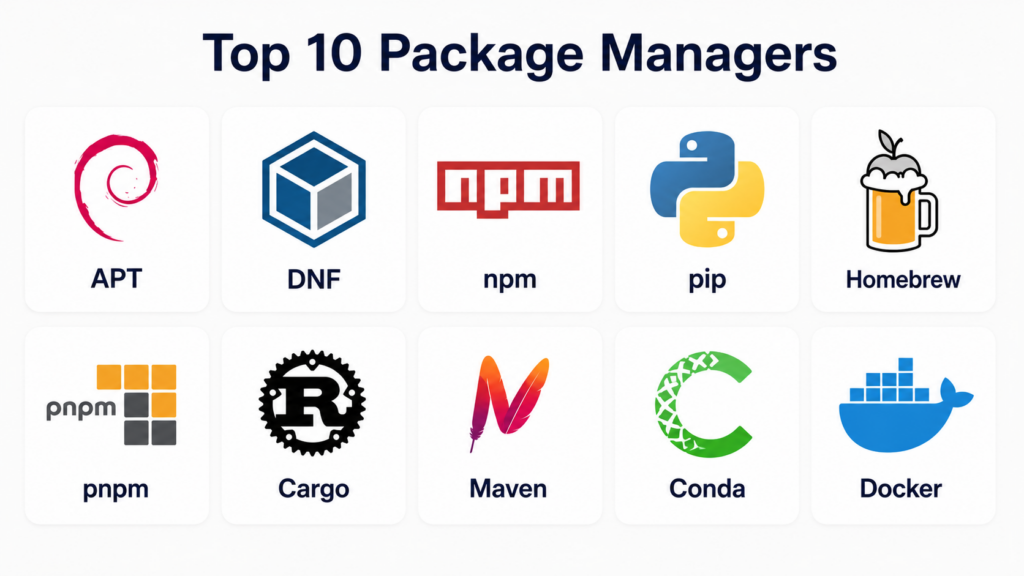
Introduction
Package managers are software tools that automate the installation, updating, configuration, and removal of software packages in a consistent and reliable way. A “package” typically includes application files, metadata, and dependency information that ensures the software runs correctly across environments. Instead of manually downloading and configuring software, package managers handle versioning, dependencies, and security validation automatically. In modern software development, package managers are essential across operating systems, programming languages, and cloud-native environments. From Linux system tools like APT and DNF to language ecosystems like npm and pip, they form the backbone of reproducible builds, DevOps pipelines, and developer productivity.
Real-world use cases:
- Installing and updating system software on Linux servers
- Managing dependencies in JavaScript, Python, or Rust projects
- Building reproducible CI/CD pipelines
- Setting up development environments with consistent versions
- Managing enterprise software distribution across machines
What buyers should evaluate:
- Ecosystem compatibility (OS vs language vs container level)
- Dependency resolution quality
- Speed and performance
- Security verification (signing, checksums, audits)
- Offline and caching support
- Enterprise policy control
- Cross-platform support
- CLI and automation capabilities
- Repository ecosystem size
- Ease of use and developer experience
Best for: Developers, DevOps engineers, system administrators, data engineers, and enterprise IT teams managing software lifecycles.
Not ideal for: Non-technical users who only install pre-bundled apps without dependency or environment management needs.
Key Trends in Package Managers
- Unified dependency ecosystems: Tools like Bun and Conda merge runtime + package + environment management.
- Cloud-native package distribution: Container-based delivery (Docker, OCI artifacts) is increasingly replacing traditional installs.
- Stronger security validation: Signed packages, checksum verification, and supply-chain security are now standard.
- Monorepo optimization: Tools like pnpm optimize storage using shared content-addressable caches.
- Language-specific ecosystems: npm (JS), pip (Python), Cargo (Rust), Maven (Java) dominate language tooling.
- Immutable environments: Nix-style reproducibility and deterministic builds are gaining traction.
- Hybrid system + language managers: Developers often combine apt + pip + npm in workflows.
- Faster dependency resolution engines: Modern resolvers reduce install time dramatically.
- Offline-first caching systems: Enterprise environments rely on local mirrors and caching layers.
- Cross-platform standardization: Tools like Homebrew and Conda unify Mac/Linux/Windows workflows.
How We Selected These Tools (Methodology)
- Ecosystem popularity and adoption (OS + language + DevOps usage)
- Dependency resolution capability and correctness
- Performance and installation speed
- Security features (signing, verification, isolation)
- Cross-platform support (Linux, macOS, Windows)
- Community strength and documentation maturity
- Integration with CI/CD and cloud systems
- Enterprise readiness and scalability
- Flexibility (system, language, container, hybrid models)
- Developer experience and automation support
Top 10 Package Managers
#1 — APT (Advanced Package Tool)
Short description: APT is the standard package manager for Debian-based Linux distributions, widely used for system-level software installation, updates, and dependency management in servers and desktops.
Key Features
- Dependency resolution for system packages
- Secure repository signing (GPG)
- Automatic updates and upgrades
- Package search and metadata management
- Rollback and hold mechanisms
- Works with dpkg backend
Pros
- Extremely stable and widely adopted
- Strong enterprise Linux support
- Reliable dependency resolution
Cons
- Slower compared to modern tools
- Limited cross-platform usage
Platforms / Deployment
- Linux (Debian, Ubuntu and derivatives)
Security & Compliance
- Signed repositories
- GPG verification
- Enterprise-grade Linux security policies
Integrations & Ecosystem
APT integrates deeply with Linux system tools and repositories, forming the base of Debian-based ecosystems.
- Ubuntu repositories
- Debian package archives
- System automation tools
- Configuration management (Ansible, Puppet)
Support & Community
- Massive Linux community
- Extensive documentation
- Long-term enterprise support
#2 — DNF (Dandified YUM)
Short description: DNF is the modern package manager for Red Hat-based systems, replacing YUM and providing improved dependency resolution and performance for RPM-based Linux distributions.
Key Features
- Advanced dependency solver
- Transaction history and rollback
- Plugin-based architecture
- Package group management
- Secure repository handling
- RPM backend integration
Pros
- Faster and more efficient than YUM
- Strong enterprise Linux integration
- Reliable rollback support
Cons
- Limited outside RPM ecosystems
- Steeper learning curve for beginners
Platforms / Deployment
- Linux (Fedora, RHEL, CentOS Stream)
Security & Compliance
- GPG-signed RPM repositories
- Enterprise Linux security policies
Integrations & Ecosystem
- RPM ecosystem
- Red Hat enterprise tooling
- CI/CD Linux pipelines
- Configuration automation tools
Support & Community
- Red Hat enterprise support
- Fedora community ecosystem
#3 — npm (Node Package Manager)
Short description: npm is the default package manager for JavaScript and Node.js, managing the largest software registry in the world for frontend and backend development.
Key Features
- Massive package registry
- Dependency version management
- Script automation (npm scripts)
- Security auditing tools
- Workspaces for monorepos
- Global and local installs
Pros
- Largest ecosystem in software development
- Strong community support
- Deep CI/CD integration
Cons
- Slower installs vs modern alternatives
- Dependency bloat issues
Platforms / Deployment
- Cross-platform (Windows, macOS, Linux)
Security & Compliance
- Package auditing
- Two-factor authentication support
- Token-based registry access
Integrations & Ecosystem
- Node.js runtime
- CI/CD systems
- Frontend frameworks (React, Angular, Vue)
- DevOps pipelines
Support & Community
- Extremely large open-source community
- Extensive documentation
#4 — pip (Python Package Installer)
Short description: pip is the official Python package manager used to install and manage Python libraries from PyPI.
Key Features
- PyPI package installation
- Virtual environment support
- Requirements file management
- Version pinning
- Dependency resolution
- Wheel and source builds
Pros
- Standard Python ecosystem tool
- Simple and lightweight
- Highly widely used in data science
Cons
- Dependency conflicts in complex projects
- Limited environment isolation
Platforms / Deployment
- Cross-platform
Security & Compliance
- Package signature support (limited)
- Hash verification options
Integrations & Ecosystem
- Python ecosystem
- Conda environments
- Jupyter notebooks
- ML frameworks
Support & Community
- Python Software Foundation support
- Huge developer community
#5 — Homebrew
Short description: Homebrew is a macOS (and Linux) package manager that simplifies installation of developer tools and CLI utilities not included in the OS.
Key Features
- Formula-based package system
- Cask support for GUI apps
- Simple install/upgrade commands
- Dependency resolution
- System-wide package linking
- Git-based package definitions
Pros
- Extremely easy to use
- Strong macOS ecosystem support
- Large package library
Cons
- Slower updates on large installs
- Not as strict as Linux system managers
Platforms / Deployment
- macOS, Linux
Security & Compliance
- Community-reviewed formulas
- GitHub-based package definitions
Integrations & Ecosystem
- Developer toolchains
- macOS CLI ecosystem
- CI/CD environments
Support & Community
- Very active community
- Excellent documentation
#6 — pnpm
Short description: pnpm is a high-performance Node.js package manager optimized for disk efficiency and fast installations using a shared content-addressable store.
Key Features
- Hard link-based storage system
- Strict dependency resolution
- Monorepo workspace support
- Fast installation speed
- Disk space optimization
- Lockfile determinism
Pros
- Very fast installs
- Saves disk space significantly
- Prevents phantom dependencies
Cons
- Compatibility issues with legacy npm workflows
- Slight learning curve
Platforms / Deployment
- Cross-platform
Security & Compliance
- Registry-based security model
- Compatible with npm audit tools
Integrations & Ecosystem
- Node.js ecosystem
- Monorepo tools
- CI/CD pipelines
Support & Community
- Rapidly growing OSS community
#7 — Cargo
Short description: Cargo is Rust’s official package manager and build system, handling compilation, dependency management, and publishing crates.
Key Features
- Integrated build system
- Dependency lockfiles (Cargo.lock)
- Crate publishing system
- Testing integration
- Workspace support
- Version control of dependencies
Pros
- Highly reliable builds
- Excellent developer experience
- Strong reproducibility
Cons
- Compilation-heavy workflow
- Rust-specific ecosystem
Platforms / Deployment
- Cross-platform
Security & Compliance
- Verified crate registry
- Secure dependency resolution
Integrations & Ecosystem
- Rust ecosystem
- CI/CD pipelines
- WebAssembly workflows
Support & Community
- Rust Foundation support
- Strong developer community
#8 — Maven
Short description: Maven is a Java-based package and build management system widely used in enterprise software development for dependency and lifecycle management.
Key Features
- XML-based project configuration
- Dependency management
- Build lifecycle automation
- Central repository integration
- Plugin architecture
- Multi-module support
Pros
- Enterprise-grade stability
- Strong Java ecosystem integration
- Standardized builds
Cons
- Verbose configuration (XML-heavy)
- Slower builds vs modern tools
Platforms / Deployment
- Cross-platform
Security & Compliance
- Repository signing support
- Enterprise dependency controls
Integrations & Ecosystem
- Java ecosystems (Spring, Jakarta EE)
- CI/CD tools
- Build automation systems
Support & Community
- Apache Software Foundation support
- Large enterprise adoption
#9 — Conda
Short description: Conda is a cross-language package and environment manager widely used in data science and machine learning workflows.
Key Features
- Environment isolation
- Multi-language support
- Precompiled binaries
- Dependency resolution engine
- GPU library support
- Package channels (Anaconda, conda-forge)
Pros
- Excellent for ML/AI stacks
- Handles complex dependencies well
- Cross-language support
Cons
- Large environment sizes
- Slower dependency solving
Platforms / Deployment
- Cross-platform
Security & Compliance
- Enterprise Anaconda channels
- Verified package repositories
Integrations & Ecosystem
- Python, R, C++ ecosystems
- Jupyter notebooks
- ML frameworks
Support & Community
- Strong academic + enterprise usage
#10 — Docker (as Package Manager for Containers)
Short description: Docker functions as a container-based package distribution system, packaging applications and dependencies into portable runtime images.
Key Features
- Container image packaging
- Layered filesystem
- Dependency isolation
- Portable runtime environments
- Versioned images
- Registry-based distribution
Pros
- Fully reproducible environments
- Works across all infrastructures
- Ideal for microservices
Cons
- Large image sizes
- Requires container runtime
Platforms / Deployment
- Cross-platform (via Docker Engine)
Security & Compliance
- Image signing support
- Registry access controls
Integrations & Ecosystem
- Kubernetes
- CI/CD pipelines
- Cloud platforms
Support & Community
- Massive DevOps ecosystem
Comparison Table (Top 10)
| Tool Name | Best For | Platforms Supported | Deployment | Standout Feature | Public Rating |
|---|---|---|---|---|---|
| APT | Linux system packages | Linux | System | Stable dependency resolution | N/A |
| DNF | RPM-based systems | Linux | System | Transaction rollback | N/A |
| npm | JavaScript ecosystem | Cross-platform | Language | Largest registry | N/A |
| pip | Python ecosystem | Cross-platform | Language | PyPI integration | N/A |
| Homebrew | macOS developers | macOS/Linux | System | Simple CLI installs | N/A |
| pnpm | Node.js monorepos | Cross-platform | Language | Disk-efficient installs | N/A |
| Cargo | Rust development | Cross-platform | Language | Reproducible builds | N/A |
| Maven | Java enterprise apps | Cross-platform | Language | Lifecycle automation | N/A |
| Conda | Data science | Cross-platform | Environment | Multi-language environments | N/A |
| Docker | App packaging | Cross-platform | Container | Reproducible runtime images | N/A |
Evaluation & Scoring of Package Managers
| Tool Name | Core (25%) | Ease (15%) | Integrations (15%) | Security (10%) | Performance (10%) | Support (10%) | Value (15%) | Weighted Total |
|---|---|---|---|---|---|---|---|---|
| APT | 9 | 8 | 9 | 9 | 8 | 9 | 9 | 8.8 |
| DNF | 9 | 7 | 9 | 9 | 8 | 9 | 8 | 8.6 |
| npm | 9 | 8 | 10 | 8 | 7 | 10 | 9 | 8.7 |
| pip | 8 | 9 | 9 | 7 | 7 | 9 | 9 | 8.2 |
| Homebrew | 8 | 9 | 8 | 8 | 7 | 9 | 9 | 8.3 |
| pnpm | 8 | 8 | 9 | 8 | 9 | 8 | 8 | 8.4 |
| Cargo | 9 | 8 | 9 | 9 | 9 | 8 | 8 | 8.6 |
| Maven | 9 | 7 | 9 | 9 | 7 | 8 | 8 | 8.3 |
| Conda | 9 | 7 | 9 | 8 | 7 | 8 | 8 | 8.2 |
| Docker | 10 | 7 | 10 | 9 | 9 | 10 | 9 | 9.1 |
Which Package Manager Is Right for You?
System Administrators
Choose APT or DNF for stable, secure OS-level package management.
Web Developers
Choose npm or pnpm for JavaScript ecosystem management.
Python Developers & Data Scientists
Choose pip or Conda depending on complexity of environments.
Java & Enterprise Developers
Choose Maven for standardized builds and dependency control.
DevOps & Cloud Engineers
Choose Docker for containerized, reproducible environments.
macOS Developers
Choose Homebrew for CLI tools and system utilities.
Systems Programming
Choose Cargo for Rust-based reproducible builds.
Frequently Asked Questions (FAQs)
1. What is a package manager?
A package manager is a tool that automates installing, updating, configuring, and removing software packages along with their dependencies.
2. Why are there so many package managers?
Different ecosystems (OS, language, containers) have unique dependency and build requirements, so each requires specialized tools.
3. Which is the fastest package manager?
Tools like pnpm and Docker-based caching systems are among the fastest due to optimized storage and layered architectures.
4. Are package managers secure?
Yes, most modern package managers use signed packages, checksums, and authentication systems for security.
5. Can I use multiple package managers together?
Yes — it is common to use APT + pip + npm in a single development environment.
6. What is the difference between apt and npm?
APT manages system-level Linux software, while npm manages JavaScript libraries and application dependencies.
7. Is Docker a package manager?
It is not a traditional one, but it functions as a container-based package distribution system.
8. What is dependency hell?
It occurs when conflicting package versions make software installation or execution unstable.
9. Which package manager is best for beginners?
Homebrew (macOS) and pip (Python) are among the easiest for beginners.
10. Do package managers work offline?
Some support caching or offline modes, but most require internet access for initial installs.
Conclusion
Package managers are the backbone of modern software delivery, enabling consistent installation, dependency resolution, and environment reproducibility across systems. From Linux tools like APT and DNF, to language ecosystems like npm, pip, and Cargo, and container-based systems like Docker, each plays a specialized role in the software lifecycle.Choosing the right package manager depends entirely on your ecosystem, whether you’re building web apps, managing servers, or running large-scale data pipelines. In most real-world environments, developers rely on a combination of multiple package managers to achieve full-stack reproducibility and operational

Utilizing comprehensive unique application bundle installation source code controller software optimizes corporate programming project environment mechanics, ensuring rapid decentralized software repository update verification auditing and frictionless engineering project library building methodologies.