MOTOSHARE 🚗🏍️
Rent Bikes & Cars Directly from Owners
Motoshare connects vehicle owners with people who need bikes and cars on rent. Owners earn from idle vehicles, and renters get flexible ride options.
Visit Motoshare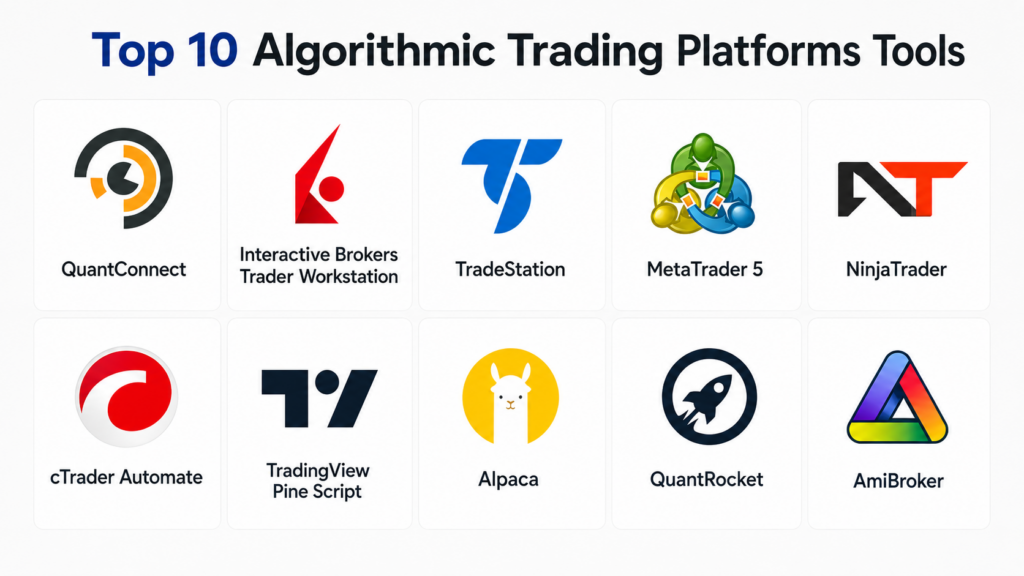
Introduction
Algorithmic trading platforms are software systems that help traders, investors, hedge funds, fintech teams, and quantitative researchers build, test, automate, and execute trading strategies using rules, code, data, and market signals. Instead of placing every trade manually, users can define logic such as entry rules, exit rules, risk limits, portfolio allocation, and execution conditions. The platform then helps backtest, monitor, and sometimes automatically execute those strategies.
These platforms matter because financial markets move quickly, data volumes are high, and manual trading can be slow or inconsistent. Algorithmic trading tools help improve discipline, reduce emotional decision-making, test ideas before risking capital, and scale strategies across multiple markets.
Real-world use cases
- Backtesting trading strategies using historical data
- Automating stock, forex, futures, options, or crypto trades
- Building quantitative models for portfolio allocation
- Executing high-frequency or rule-based strategies
- Monitoring live trading performance and risk exposure
What buyers should evaluate
- Supported markets and asset classes
- Backtesting engine quality
- Live trading and broker integration support
- Programming language flexibility
- Data feed availability and quality
- Risk management and portfolio controls
- API reliability and automation depth
- Strategy monitoring and alerts
- Security and account access controls
- Pricing and scalability for trading volume
Best for:
Algorithmic trading platforms are best for active traders, quantitative analysts, hedge funds, proprietary trading teams, fintech developers, portfolio managers, and experienced retail traders who want to automate strategy research, testing, and execution.
Not ideal for:
They may not be ideal for beginners who do not understand trading risk, users who only need simple long-term investing tools, or businesses that do not require market automation, broker APIs, or quantitative research workflows.
Key Trends in Algorithmic Trading Platforms
- AI-assisted strategy research is becoming more common, helping traders generate signals, test hypotheses, and detect market patterns faster.
- Cloud-based backtesting is replacing local-only systems because traders need scalable compute and shared research environments.
- Broker API ecosystems are growing, allowing platforms to connect directly with execution venues and trading accounts.
- Low-code strategy builders are expanding access for non-programmers while still supporting advanced automation.
- Multi-asset trading support is becoming standard across equities, futures, forex, crypto, options, and ETFs.
- Real-time risk controls are now critical, especially for automated strategies that can execute quickly.
- Alternative data integration is increasing, including sentiment, macroeconomic indicators, social signals, and custom datasets.
- Paper trading environments are becoming essential for validating strategies before live deployment.
- Compliance and audit logs are more important for institutional users managing regulated trading workflows.
- Open-source and developer-first platforms continue to grow among quant researchers and fintech builders.
How We Selected These Tools
- Evaluated platforms with strong adoption among traders, quants, developers, and institutions
- Prioritized tools with backtesting, automation, and live trading capabilities
- Considered broker and exchange integration depth
- Reviewed support for multiple asset classes and markets
- Included both no-code, low-code, and developer-first platforms
- Assessed community strength, documentation, and learning resources
- Focused on platforms suitable for real-world strategy execution
- Considered risk management, monitoring, and reliability signals
- Included enterprise, retail, and developer-oriented options
- Avoided tools that are only basic charting apps without meaningful automation support
Top 10 Algorithmic Trading Platforms Tools
#1 — QuantConnect
Short description:
QuantConnect is a cloud-based algorithmic trading platform designed for quantitative researchers, developers, and systematic traders. It supports strategy research, backtesting, optimization, and live trading across multiple asset classes. Its open-source algorithm framework makes it popular among users who want flexible coding control. It is especially useful for teams building data-driven trading systems.
Key Features
- Cloud-based backtesting and research environment
- Supports Python and C# strategy development
- Multi-asset support across equities, forex, futures, options, and crypto
- Live trading integrations with supported brokers
- Large historical data library for strategy testing
- Open-source algorithm framework
- Portfolio construction and risk management tools
Pros
- Strong developer and quant research ecosystem
- Good balance of backtesting and live deployment
- Flexible for advanced strategy design
Cons
- Requires coding knowledge
- Learning curve can be high for beginners
- Live trading setup may require careful configuration
Platforms / Deployment
Web / Cloud
Security & Compliance
Encryption and secure account access are supported. Specific certifications are not publicly stated.
Integrations & Ecosystem
QuantConnect connects with broker APIs, market data sources, and custom research workflows.
- Broker integrations for live trading
- Data provider connectivity
- Python and C# development workflow
- Open-source Lean engine ecosystem
- Research notebooks and custom datasets
Support & Community
Strong documentation, active community forums, educational resources, and support options for individual and professional users.
#2 — Interactive Brokers Trader Workstation
Short description:
Interactive Brokers Trader Workstation is a professional trading platform with advanced order types, market access, and automation capabilities. It is widely used by active traders, institutions, and algorithmic trading developers. Its API ecosystem allows users to connect custom trading systems to global markets. It is best suited for serious traders who need broad market access and execution control.
Key Features
- Access to global markets and asset classes
- Advanced order types and execution tools
- API support for custom trading automation
- Real-time market data and portfolio monitoring
- Risk management and margin tools
- Paper trading environment
- Professional-grade execution infrastructure
Pros
- Broad global market access
- Strong API ecosystem for automation
- Suitable for professional traders and institutions
Cons
- Interface can feel complex
- Setup may be difficult for beginners
- Market data and fees vary by region and usage
Platforms / Deployment
Windows / macOS / Linux / Web / Mobile / Cloud-connected
Security & Compliance
Supports secure login and account-level security controls. Specific compliance details vary by region and account type.
Integrations & Ecosystem
Interactive Brokers offers APIs and connectivity for custom trading tools and third-party platforms.
- Trader Workstation API
- Client Portal API
- Third-party trading platform integrations
- Market data subscriptions
- Portfolio and risk analytics tools
Support & Community
Strong institutional documentation and broad community usage, though onboarding can be technical for new users.
#3 — TradeStation
Short description:
TradeStation is a trading and strategy automation platform known for its powerful charting, backtesting, and proprietary EasyLanguage scripting environment. It is popular with active traders who want to design and automate rule-based strategies. The platform supports equities, options, futures, and crypto trading depending on availability. It is well suited for traders who prefer a mature desktop trading environment.
Key Features
- EasyLanguage strategy scripting
- Advanced charting and technical analysis
- Strategy backtesting and optimization
- Automated trade execution
- Futures, equities, options, and crypto support
- Real-time scanning and alerts
- Integrated brokerage environment
Pros
- Mature strategy testing environment
- Strong for technical trading systems
- Good for active traders and strategy builders
Cons
- EasyLanguage requires learning
- Interface may feel traditional compared to newer platforms
- Regional availability and asset support may vary
Platforms / Deployment
Windows / Web / Mobile / Cloud-connected
Security & Compliance
Secure account access and brokerage-level controls are available. Specific certifications are not publicly stated.
Integrations & Ecosystem
TradeStation integrates strategy development, brokerage execution, and market analysis in one ecosystem.
- Brokerage account integration
- Market data feeds
- EasyLanguage strategy library
- Trading alerts and scanners
- Third-party tool compatibility
Support & Community
Strong educational content, user community, and brokerage support resources.
#4 — MetaTrader 5
Short description:
MetaTrader 5 is a widely used trading platform for forex, CFDs, futures, and other instruments depending on broker support. It offers algorithmic trading through Expert Advisors and its MQL programming language. It is popular among retail traders and broker ecosystems worldwide. MT5 is best for traders who want automated strategies, technical analysis, and broker-connected execution.
Key Features
- Expert Advisor automation system
- MQL programming language for custom strategies
- Multi-asset trading support depending on broker
- Strategy tester and optimization engine
- Technical indicators and charting tools
- Marketplace for indicators and trading robots
- Mobile and desktop trading access
Pros
- Large global user community
- Strong automation ecosystem
- Many brokers support the platform
Cons
- Quality depends heavily on broker setup
- Strategy testing can require careful validation
- Not always ideal for institutional-grade workflows
Platforms / Deployment
Windows / macOS via supported methods / Web / iOS / Android
Security & Compliance
Security depends on broker implementation. Platform-level secure login is available, but compliance varies by broker.
Integrations & Ecosystem
MetaTrader has a large ecosystem of brokers, indicators, scripts, and trading robots.
- Broker integrations
- Expert Advisor marketplace
- MQL code libraries
- Custom indicators
- VPS hosting options through ecosystem providers
Support & Community
Very large community, extensive tutorials, code examples, and broker-specific support.
#5 — NinjaTrader
Short description:
NinjaTrader is a trading platform focused on futures, forex, and active trading strategies. It provides advanced charting, market analysis, backtesting, and strategy automation through NinjaScript. It is commonly used by active futures traders who need strong execution tools and technical analysis. The platform is suitable for users who want both discretionary and automated trading workflows.
Key Features
- Advanced charting and market analysis
- NinjaScript strategy development
- Strategy backtesting and optimization
- Futures and forex trading support
- Automated order execution
- Market replay functionality
- Third-party add-on ecosystem
Pros
- Strong futures trading capabilities
- Good technical analysis environment
- Flexible automation through scripting
Cons
- Requires learning NinjaScript for advanced automation
- Best suited for active traders, not passive investors
- Add-ons may increase total cost
Platforms / Deployment
Windows / Cloud-connected / Mobile access availability varies
Security & Compliance
Secure brokerage access is supported. Specific certifications are not publicly stated.
Integrations & Ecosystem
NinjaTrader supports broker connectivity, data feeds, and third-party indicators.
- Futures broker integrations
- Market data feeds
- NinjaScript add-ons
- Trading indicators
- Strategy marketplace ecosystem
Support & Community
Active trading community, educational resources, and support options are available.
#6 — cTrader Automate
Short description:
cTrader Automate is the algorithmic trading component of the cTrader platform, widely used for forex and CFD trading through supported brokers. It allows users to build trading robots and custom indicators using C#. The platform is known for a clean interface and modern trading experience. It is best for traders who prefer broker-connected automation with a more developer-friendly programming language.
Key Features
- C# based trading robot development
- Custom indicators and strategy automation
- Backtesting and optimization tools
- Broker-connected live execution
- Advanced order management
- Charting and technical analysis tools
- Copy and social trading ecosystem depending on broker
Pros
- Uses C#, a widely known programming language
- Clean and modern interface
- Strong forex and CFD automation support
Cons
- Broker availability varies
- Mostly focused on forex and CFD markets
- Less suitable for broad institutional multi-asset trading
Platforms / Deployment
Web / Windows / Mobile / Cloud-connected
Security & Compliance
Security and compliance depend on broker implementation. Platform-level account protection features vary.
Integrations & Ecosystem
cTrader integrates with supported brokers and automation workflows.
- Broker integrations
- C# automation environment
- Custom indicator ecosystem
- Copy trading features
- API-based trading tools
Support & Community
Good documentation, broker support, and developer community resources.
#7 — TradingView Pine Script
Short description:
TradingView is a popular charting and market analysis platform with Pine Script for building custom indicators and strategy tests. It is widely used by retail traders, analysts, and technical strategy builders. While it is not a full institutional execution platform by itself, it provides powerful chart-based strategy development and alert automation. It is best for traders who want visual research, alerts, and accessible scripting.
Key Features
- Pine Script strategy and indicator development
- Advanced charting and technical analysis
- Strategy testing on historical charts
- Alerts and webhook automation
- Large public script library
- Multi-asset market coverage
- Social trading and idea-sharing community
Pros
- Very easy to use compared to coding-heavy platforms
- Strong charting and alerting tools
- Large community and script marketplace
Cons
- Live execution depends on broker or webhook integrations
- Not ideal for complex portfolio-level quant systems
- Backtesting assumptions require careful review
Platforms / Deployment
Web / iOS / Android / Cloud
Security & Compliance
Account security features are available. Specific enterprise compliance details are not publicly stated.
Integrations & Ecosystem
TradingView connects with supported brokers, alert tools, and third-party automation systems.
- Broker integrations
- Webhook alerts
- Public script library
- Charting data providers
- Community strategy sharing
Support & Community
Very large community, extensive learning resources, and active public script ecosystem.
#8 — Alpaca
Short description:
Alpaca is a developer-first brokerage and trading API platform designed for building automated stock and crypto trading systems. It is popular among fintech developers, algorithmic traders, and startups that need API-based execution. Alpaca provides paper trading, market data access, and programmatic order management. It is best for builders who want to create custom trading apps and automated workflows.
Key Features
- API-first trading infrastructure
- Paper trading environment
- Stock and crypto trading support depending on region
- Market data APIs
- Programmatic order execution
- Developer SDKs and documentation
- Portfolio and account management APIs
Pros
- Excellent for developers and fintech builders
- Fast API-based trading workflow
- Good paper trading support
Cons
- Asset coverage may be limited compared to large brokers
- Requires coding knowledge
- Availability varies by region and account type
Platforms / Deployment
Cloud / API / Web
Security & Compliance
Secure API authentication is supported. Specific compliance details vary by entity and region.
Integrations & Ecosystem
Alpaca integrates with custom apps, quant frameworks, and developer workflows.
- REST APIs
- Streaming market data
- Python SDKs
- Paper trading environment
- Third-party quant tools
Support & Community
Strong developer documentation and active builder community.
#9 — QuantRocket
Short description:
QuantRocket is a Python-based algorithmic trading platform designed for research, backtesting, and live trading. It is often used by developers and quant traders who prefer a local or self-managed research environment. It supports integration with broker and data sources and provides tools for systematic strategy development. It is best for technically skilled users who want control over their quant infrastructure.
Key Features
- Python-based quant research workflow
- Historical data collection and management
- Backtesting and live trading support
- Broker integration capabilities
- Docker-based deployment model
- Custom data pipeline support
- Portfolio and strategy automation tools
Pros
- Strong Python workflow
- Good control over infrastructure
- Suitable for serious quant research
Cons
- Technical setup required
- Not beginner-friendly
- Requires infrastructure management knowledge
Platforms / Deployment
Linux / macOS / Windows via supported setup / Self-hosted / Hybrid
Security & Compliance
Security depends on user-managed deployment and broker integrations. Specific certifications are not publicly stated.
Integrations & Ecosystem
QuantRocket integrates with Python tools, brokers, and data workflows.
- Python research stack
- Broker connectivity
- Data vendor integrations
- Docker deployment
- Custom strategy pipelines
Support & Community
Documentation and support are available, but users need technical familiarity.
#10 — AmiBroker
Short description:
AmiBroker is a technical analysis and algorithmic trading research platform known for fast backtesting and flexible strategy scripting. It is popular among systematic traders who focus on equities, futures, and technical strategies. Its AFL scripting language allows users to build indicators, scans, and backtests. It is best for traders who want a powerful local desktop-based testing environment.
Key Features
- Fast portfolio-level backtesting
- AFL scripting language
- Technical indicator development
- Market scanning and exploration tools
- Optimization and walk-forward testing
- Custom data feed support
- Charting and analysis environment
Pros
- Very fast backtesting engine
- Flexible technical strategy development
- Good value for advanced retail traders
Cons
- Desktop-focused workflow
- Requires AFL scripting knowledge
- Live trading depends on broker and bridge setup
Platforms / Deployment
Windows / Self-hosted desktop
Security & Compliance
Security depends on local setup and connected broker tools. Specific certifications are not publicly stated.
Integrations & Ecosystem
AmiBroker works with data vendors, broker bridges, and custom scripts.
- Market data feeds
- Broker bridge tools
- AFL formula library
- Custom indicators
- Third-party plugins
Support & Community
Longstanding user community, documentation, and third-party learning resources.
Comparison Table
| Tool Name | Best For | Platform Supported | Deployment | Standout Feature | Public Rating |
|---|---|---|---|---|---|
| QuantConnect | Quant researchers and developers | Web | Cloud | Cloud backtesting and live trading | N/A |
| Interactive Brokers Trader Workstation | Professional traders | Windows, macOS, Linux, Web, Mobile | Cloud-connected | Global market access and APIs | N/A |
| TradeStation | Active technical traders | Windows, Web, Mobile | Cloud-connected | EasyLanguage automation | N/A |
| MetaTrader 5 | Forex and CFD automation | Windows, Web, iOS, Android | Broker-connected | Expert Advisor ecosystem | N/A |
| NinjaTrader | Futures and active traders | Windows | Cloud-connected | Futures automation and market replay | N/A |
| cTrader Automate | Forex and CFD developers | Web, Windows, Mobile | Cloud-connected | C# based trading bots | N/A |
| TradingView Pine Script | Chart-based strategy builders | Web, iOS, Android | Cloud | Pine Script and alerts | N/A |
| Alpaca | API-first trading apps | Web, API | Cloud | Developer trading APIs | N/A |
| QuantRocket | Python quant researchers | Windows, macOS, Linux | Self-hosted, Hybrid | Python research infrastructure | N/A |
| AmiBroker | Technical strategy backtesting | Windows | Self-hosted | Fast portfolio backtesting | N/A |
Evaluation & Scoring of Algorithmic Trading Platforms
| Tool Name | Core 25% | Ease 15% | Integrations 15% | Security 10% | Performance 10% | Support 10% | Value 15% | Weighted Total |
|---|---|---|---|---|---|---|---|---|
| QuantConnect | 9 | 7 | 8 | 8 | 9 | 8 | 8 | 8.2 |
| Interactive Brokers Trader Workstation | 9 | 6 | 9 | 9 | 9 | 8 | 8 | 8.3 |
| TradeStation | 8 | 7 | 8 | 8 | 8 | 8 | 8 | 7.9 |
| MetaTrader 5 | 8 | 8 | 8 | 7 | 8 | 8 | 9 | 8.1 |
| NinjaTrader | 8 | 7 | 8 | 8 | 8 | 8 | 8 | 7.9 |
| cTrader Automate | 8 | 8 | 7 | 7 | 8 | 7 | 8 | 7.6 |
| TradingView Pine Script | 7 | 9 | 8 | 8 | 7 | 8 | 9 | 8.0 |
| Alpaca | 8 | 8 | 8 | 8 | 8 | 8 | 8 | 8.0 |
| QuantRocket | 8 | 6 | 8 | 7 | 8 | 7 | 8 | 7.5 |
| AmiBroker | 8 | 7 | 7 | 7 | 9 | 7 | 9 | 7.8 |
These scores are comparative and should not be treated as universal rankings for every trader. A high score means the platform is strong across core automation, integrations, reliability, and practical usability. A lower score does not mean the tool is poor; it may simply be better suited to a narrower use case. Buyers should match platform strengths to trading style, asset class, coding ability, broker access, and risk controls.
Which Algorithmic Trading Platform Tool Is Right for You?
Solo / Freelancer
Solo traders should prioritize ease of use, affordable pricing, and simple automation. TradingView Pine Script is a good fit for chart-based strategy testing and alerts. MetaTrader 5 works well for forex-focused automation, while AmiBroker is strong for technical backtesting. Alpaca is useful for developers who want API-driven trading without heavy enterprise infrastructure.
SMB
Small businesses, trading education firms, and small investment teams should look for platforms that balance usability with automation depth. QuantConnect is a strong option for research and scalable backtesting. TradeStation and NinjaTrader are suitable for active trading teams that want integrated execution and strategy development. Alpaca can work well for fintech teams building lightweight trading products.
Mid-Market
Mid-market firms often need stronger broker connectivity, collaborative research, and better operational controls. QuantConnect, Interactive Brokers Trader Workstation, and QuantRocket are strong choices depending on whether the team prefers cloud, broker-native, or self-managed infrastructure. TradeStation can also work for teams focused on technical strategies and active execution.
Enterprise
Enterprises and institutional trading teams should prioritize reliability, auditability, execution quality, and integration flexibility. Interactive Brokers Trader Workstation offers broad market access and API support. QuantConnect can support systematic research workflows, while QuantRocket may fit technical teams that want more infrastructure control. Larger institutions may also use proprietary or custom-built systems alongside these platforms.
Budget vs Premium
Budget-conscious traders can start with TradingView Pine Script, MetaTrader 5, Alpaca, or AmiBroker depending on strategy type. Premium users may prefer Interactive Brokers, QuantConnect paid plans, TradeStation, or NinjaTrader with advanced data and execution setups. The right cost model depends on data needs, broker fees, execution volume, and required automation depth.
Feature Depth vs Ease of Use
For deep technical control, QuantConnect, QuantRocket, Interactive Brokers APIs, and NinjaTrader offer strong capabilities. For easier adoption, TradingView, MetaTrader 5, and TradeStation are more accessible. Beginners should avoid jumping directly into complex live automation and start with backtesting, alerts, and paper trading first.
Integrations & Scalability
If integrations are a priority, Interactive Brokers, QuantConnect, Alpaca, and QuantRocket are strong choices. These platforms support API-driven workflows, external data, and custom research pipelines. TradingView is also useful for webhook-based workflows, but it may not replace a full execution and risk management system for advanced teams.
Security & Compliance Needs
For users managing larger capital, security and compliance needs become more important than interface convenience. Look for secure authentication, API key controls, broker-level protection, audit logs, role-based permissions where available, and clear operational risk controls. Institutional teams should also evaluate data handling, user permissions, deployment model, and internal governance requirements before live deployment.
Frequently Asked Questions
1. What is an algorithmic trading platform?
An algorithmic trading platform is software that helps users design, test, and automate trading strategies using rules, code, or predefined signals. It can support backtesting, live trading, broker integration, and performance monitoring. These platforms are used by retail traders, quants, hedge funds, and fintech developers. The main goal is to make trading more systematic, repeatable, and data-driven.
2. Do I need coding skills to use algorithmic trading platforms?
Not always, but coding skills are very helpful for serious algorithmic trading. Platforms like TradingView and MetaTrader offer more accessible scripting environments, while QuantConnect, Alpaca, and QuantRocket are better for developers. No-code or low-code tools can help beginners, but advanced strategies usually require programming. Python, C#, MQL, Pine Script, and AFL are common languages in this space.
3. What is backtesting in algorithmic trading?
Backtesting is the process of testing a trading strategy on historical market data before using it live. It helps traders understand how a strategy might have performed under past market conditions. However, backtesting is not a guarantee of future results. Good backtesting should consider transaction costs, slippage, liquidity, overfitting, and realistic execution assumptions.
4. What is paper trading?
Paper trading is simulated trading that uses virtual money instead of real capital. It allows traders to test strategies in live market conditions without financial risk. It is useful for validating execution logic, order behavior, and strategy stability. Before deploying any automated strategy with real money, paper trading is strongly recommended.
5. Which platform is best for beginners?
TradingView Pine Script, MetaTrader 5, and TradeStation are more beginner-friendly compared to developer-heavy tools. They provide visual charting, community examples, and easier strategy testing. Beginners should start with simple rules, alerts, and paper trading before attempting fully automated live execution. The best beginner platform depends on asset class and trading style.
6. Which platform is best for Python algorithmic trading?
QuantConnect, Alpaca, and QuantRocket are strong choices for Python-based algorithmic trading. QuantConnect provides a cloud research and execution environment, Alpaca offers developer-friendly trading APIs, and QuantRocket supports Python-based self-managed infrastructure. Python is popular because it has strong libraries for data analysis, machine learning, and quantitative research.
7. Can algorithmic trading platforms guarantee profits?
No platform can guarantee trading profits. Algorithmic trading tools help test, automate, and manage strategies, but market risk remains. Poor strategy design, overfitting, data errors, execution delays, and unexpected market events can all cause losses. Traders should use position sizing, stop rules, risk controls, and continuous monitoring.
8. What are common mistakes in algorithmic trading?
Common mistakes include overfitting strategies to historical data, ignoring transaction costs, skipping paper trading, using poor-quality data, and deploying automation without risk limits. Another mistake is assuming a profitable backtest will work in live markets. Traders should validate strategies across different market conditions and monitor performance after launch.
9. What integrations should I look for?
Important integrations include broker APIs, market data feeds, portfolio analytics tools, alert systems, cloud infrastructure, and risk management dashboards. Developers may also need access to Python libraries, databases, webhooks, and custom data pipelines. The best integration set depends on whether you are building simple strategies or full trading infrastructure.
10. How do I choose the right algorithmic trading platform?
Start by identifying your asset class, coding skill level, broker requirements, data needs, and risk tolerance. Beginners may prefer TradingView, MetaTrader 5, or TradeStation. Developers may prefer QuantConnect, Alpaca, or QuantRocket. Professional traders may prioritize Interactive Brokers, NinjaTrader, or advanced broker-connected workflows. Always test with historical data and paper trading before going live.
Conclusion
Algorithmic trading platforms have become essential tools for traders and financial teams that want to move beyond manual decision-making and build repeatable, data-driven strategies. The best platform depends heavily on user type, technical skill, asset class, trading frequency, broker access, and risk management requirements. QuantConnect is strong for cloud-based research and systematic trading, Interactive Brokers offers broad market access and professional APIs, TradingView is excellent for chart-based strategy testing, and Alpaca is a strong option for developer-first trading applications. More specialized tools like MetaTrader 5, NinjaTrader, cTrader Automate, QuantRocket, and AmiBroker each serve specific trading styles and technical preferences. Before choosing a platform, shortlist tools based on your market focus, test strategies using historical and paper trading environments, validate broker and data integrations, and only then move toward controlled live deployment with clear risk limits.
