MOTOSHARE 🚗🏍️
Rent Bikes & Cars Directly from Owners
Motoshare connects vehicle owners with people who need bikes and cars on rent. Owners earn from idle vehicles, and renters get flexible ride options.
Visit Motoshare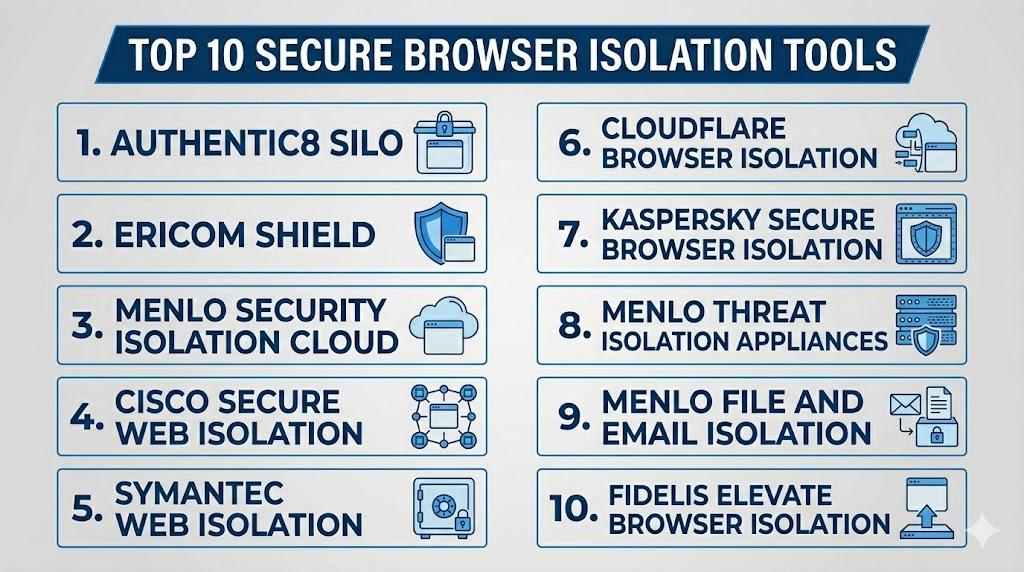
Introduction
Secure Browser Isolation Tools isolate untrusted web content or internet browsing activity away from an organization’s systems. Instead of allowing web pages — which may contain malware, drive‑by downloads, phishing links, or exploit code — to run directly on a local endpoint or server, these tools render content remotely (in the cloud, a controlled container, or a virtual session) and deliver a safe representation to the user. The goal is to protect employees, contractors, and sensitive environments from web‑based threats without disrupting productivity.
Secure browser isolation matters because web‑based threats have grown more sophisticated, and traditional defenses like local proxies, endpoint AV, and network firewalls struggle to prevent targeted exploits and zero‑day vulnerabilities that initiate through web browsing. By isolating web content at the network or cloud edge, organizations can dramatically reduce attack surface, contain potential compromises, and centralize policy enforcement.
Real‑world use cases include:
- Protecting remote and hybrid workers from malicious sites and phishing pages
- Isolating high‑risk browsing sessions in regulated, finance, and critical‑infrastructure environments
- Allowing safe access to untrusted or unknown web content without endpoint exposure
- Complying with stringent security frameworks that require strict separation of risky traffic
- Supporting contractors, vendors, and guests without trusting unmanaged devices
Evaluation Criteria for Buyers:
- Isolation architecture (remote, cloud, virtualized container)
- Granularity of policy controls
- Integration with CASB, SWG, ZTNA and identity systems
- Impact on network performance and user experience
- Support for isolation modes (render‑only, download control, script blocking)
- Ease of deployment and administration
- Visibility and reporting
- Threat protection accuracy
- Compatibility with SaaS, web apps, and internal resources
- Support and onboarding quality
Best for: Security operations teams, IT administrators, SOC teams, compliance officers, MSSPs/Managed security providers, enterprises with strict risk profiles such as financial services, healthcare, government, energy, and software development organizations.
Not ideal for: Very small organizations with low web risk, businesses with minimal sensitive assets, internal networks without web exposure, or teams that can’t integrate isolation into identity or policy frameworks.
Key Trends in Secure Browser Isolation Tools
- Cloud‑native isolation is becoming the default, enabling global scale and reducing local infrastructure dependency.
- Integration with Zero Trust architectures is increasing, combining identity, device posture, and isolation decisions.
- AI‑assisted threat detection is enhancing isolation decisions based on content intent and risk scoring.
- Selective isolation (isolating only high‑risk or unknown pages) is replacing blanket routing to balance performance and security.
- Rendering everywhere — including mobile and browser extensions — is improving the user experience.
- Detailed session forensics and audit logging is becoming standard for compliance and incident response.
- Isolation plus policy enforcement is merging with CASB and SWG platforms to unify web security stacks.
- Behavior isolation (beyond static content) is evolving for rich interactive applications.
- Managed isolation services are becoming relevant for resource‑constrained organizations.
- Threat removal capabilities (stripping risky content) are being packaged alongside pure isolation.
How We Selected These Tools
Tools were chosen based on relevance to modern secure browser isolation needs, proven market usage, credible technology approaches, integration maturity, and operational value.
- Clear technology differentiation (real isolation vs heuristic proxying)
- Deployment flexibility (cloud‑based, hybrid, on‑prem where applicable)
- Policy control quality and granularity
- Integration with identity and Zero Trust layers
- User experience impact (latency, compatibility)
- Security completeness (script handling, content rendering, downloads)
- Threat visibility and analytics capabilities
- Scalability for large enterprise use
- Support and documentation quality
- Cross‑industry applicability
Top 10 Secure Browser Isolation Tools
1- Authentic8 Silo
Short description:
Authentic8 Silo delivers secure browser isolation through a cloud session that separates web content from endpoints, networks, and data. It is designed for high‑risk browsing, compliance environments, and organizations with remote workers requiring strong web threat protection without compromising performance. Silo combines isolation with policy control and reporting.
Key Features
- Isolated browser sessions rendered in cloud
- Policy controls for scripts, downloads, and content
- Identity based access and session policies
- Integration with SIEM and security workflows
- Centralized reporting and audit logging
- Adaptive isolation based on risk
Pros
- Strong enterprise security posture
- Flexible policy configurations
- Cloud‑native scalability
Cons
- Cloud dependency may raise data sovereignty concerns
- Setup and tuning can be complex
- Price can be high for smaller teams
Platforms / Deployment
Cloud
Windows / macOS via browser or client
Security & Compliance
Not publicly stated in full detail. Buyers should validate enterprise encryption, RBAC, audit logs, and policy enforcement controls.
Integrations & Ecosystem
Authentic8 Silo works with identity systems, SIEM/LOG tools, threat analytics, and Zero Trust stacks. It supports enterprise logging and security review processes.
- Identity providers
- SIEM / SOAR tools
- Directory services
- Policy engines
- Incident response workflows
Support & Community
Enterprise support with documentation and onboarding. Community size is modest given specialized nature.
2- Ericom Shield
Short description:
Ericom Shield provides browser isolation that executes web content in a remote container, delivering only safe rendering to the user’s device. It is designed for organizations seeking strong web threat containment while maintaining performance and compatibility with internal and SaaS web apps.
Key Features
- Remote container execution
- Script and download control
- Isolation policies for internal/external sites
- Session analytics
- Integration with secure web gateways
Pros
- Effective threat containment
- Controlled execution policies
- Works across many web contexts
Cons
- Less comprehensive integration ecosystem than some competitors
- Policy complexity may require specialized admin training
- User experience may vary by region
Platforms / Deployment
Cloud / On‑prem (varies)
Web / Browser extension support
Security & Compliance
Not publicly stated in detail. Organizations should confirm RBAC, audit logs, and encryption controls.
Integrations & Ecosystem
Integrates with SWG and security stacks where remote execution is monitored and policy‑managed.
- SWG platforms
- SIEM workflows
- Identity systems
- Security policy engines
Support & Community
Vendor support and documentation available. Community activity is moderate.
3- Menlo Security Isolation Cloud
Short description:
Menlo Security Isolation Cloud offers secure web, email, and file isolation with a purpose‑built architecture that executes risky content remotely. It is strong in enterprise environments that require seamless browsing with high security assurance. The platform isolates web content, downloads, and third‑party content to protect endpoints and internal networks.
Key Features
- Cloud‑native browser isolation
- Download and file sanitization
- Script and content isolation
- Policy controls and enterprise rules
- User and admin analytics
- Integrated isolation across perimeter
Pros
- High enterprise security value
- Strong policy and analytics capabilities
- Seamless SaaS and web app support
Cons
- Premium pricing for smaller deployments
- Policy tuning may require security experience
- Onboarding may be longer for large fleets
Platforms / Deployment
Cloud
Windows / macOS / Browsers
Security & Compliance
Not publicly stated; verify RBAC, encryption, audit logs, and enterprise reporting.
Integrations & Ecosystem
Menlo integrates with Zero Trust frameworks, identity providers, SWG/CASB systems, and SOC tools.
- CASB integrations
- Identity and policy systems
- SIEM / SOAR
- Endpoint threat analytics
Support & Community
Enterprise support with strong documentation and onboarding options.
4- Cisco Secure Web Isolation
Short description:
Cisco Secure Web Isolation delivers isolation as part of Cisco’s broader secure access and web security architecture. It leverages cloud delivery to separate risky web content from endpoints, while integrating with Cisco security policy layers for unified control.
Key Features
- Cloud and web isolation options
- Integration with Cisco Secure Access
- Policy‑driven isolation decisions
- User and admin visibility
- Enterprise reporting
Pros
- Fits Cisco‑centric security infrastructures
- Unified policy control with other Cisco services
- Enterprise familiarity and support
Cons
- Best value often when used with other Cisco products
- May be complex for non‑Cisco environments
- Some features dependent on broader license suites
Platforms / Deployment
Cloud
Enterprise email and web environments
Security & Compliance
Not publicly stated fully; validate compliance and admin controls with Cisco support.
Integrations & Ecosystem
Works best with Cisco Secure Access, SD‑WAN, identity, and SIEM stacks.
- Cisco Secure Access
- Identity systems
- SIEM and log platforms
- Policy orchestration
Support & Community
Cisco enterprise support and documentation available globally.
5- Symantec Web Isolation
Short description:
Symantec Web Isolation (part of Broadcom) isolates web browsing so that untrusted content runs in a remote session, reducing risk to network and endpoint infrastructure. It is relevant for organizations seeking strong perimeter protection integrated with broader Symantec security suites.
Key Features
- Remote session rendering
- Enterprise policies
- Script controls
- Integration with web threat intelligence
- Centralized quarantine and logging
Pros
- Strong threat leverage from Symantec threat feeds
- Enterprise policy controls
- Familiar suite for existing Symantec customers
Cons
- Best value within Symantec ecosystem
- Administrative setup can be involved
- Some capability variation based on license
Platforms / Deployment
Cloud / Hybrid
Enterprise email and web contexts
Security & Compliance
Not publicly stated in full detail. Validate RBAC, audit logs, encryption, and governance controls.
Integrations & Ecosystem
Best when connected with Symantec threat intelligence, web security, and SOC stacks.
- SIEM / analytics
- Identity policies
- CASB integrations
- Web and endpoint security platforms
Support & Community
Vendor support and documentation available; community varies by region.
6- Cloudflare Browser Isolation
Short description:
Cloudflare Browser Isolation extends Cloudflare’s edge network to isolate and securely render web content for users, protecting endpoints from malicious web activity. It focuses on delivering secure content through a distributed edge platform with minimal latency impact.
Key Features
- Edge‑based isolation
- Script and content controls
- Zero Trust policy integration
- Download control and rendering
- Analytics and user activity logs
Pros
- Strong performance via global edge network
- Well suited for Zero Trust integration
- Isolated execution through Cloudflare’s platform
Cons
- Best value when already using Cloudflare services
- Detailed policy tuning requires Cloudflare experience
- Some enterprise features may depend on plan level
Platforms / Deployment
Cloud / Edge
Browser endpoints
Security & Compliance
Not publicly stated fully; review RBAC, encryption, audit, and governance controls.
Integrations & Ecosystem
Integrates with Zero Trust, CASB, identity systems, and analytics.
- Cloudflare Zero Trust
- Identity providers
- SIEM/analytics
- Policy orchestration
Support & Community
Cloudflare offers documentation, community forums, and support tiers.
7- Kaspersky Secure Browser Isolation
Short description:
Kaspersky Secure Browser Isolation provides remote web content execution so that risky pages do not affect endpoint security. It is useful for organizations needing content separation without a heavy local footprint.
Key Features
- Remote rendering of web sessions
- Script suppression
- Download safety checks
- Policy controls
Pros
- Lightweight endpoint impact
- Easy addition to broader security stack
- Focused web protection
Cons
- Less comprehensive enterprise policy ecosystem
- Limited integrations compared with larger stacks
- Less granular analytics
Platforms / Deployment
Cloud
Browsers on endpoints
Security & Compliance
Not publicly stated in detail; validate enterprise controls directly.
Integrations & Ecosystem
Works with broader endpoint and security policy systems where available.
- Local security platforms
- Directory services
- Logging and SIEM
Support & Community
Vendor support and documentation available; community size modest.
8- Menlo Threat Isolation Appliances
Short description:
Menlo Threat Isolation Appliances provide on‑premise isolation for organizations needing hardware‑based or hybrid deployments. It delivers the same threat containment model as cloud isolation but with appliances that sit closer to internal networks.
Key Features
- On‑premise isolation execution
- Policy enforcement at edge
- Script and content isolation
- Admin visibility
- Network integration
Pros
- Useful for air‑gapped or sensitive environments
- Strong enterprise containment
- Closer control of data flow
Cons
- Hardware maintenance required
- Less scalable than cloud for global deployments
- Higher upfront cost
Platforms / Deployment
On‑prem / Hybrid
Enterprise networks
Security & Compliance
Not publicly stated fully; verify physical security, audit controls, encryption, and policy governance.
Integrations & Ecosystem
Integrates with local networks, identity systems, policy engines, and SOC tools.
- Network and perimeter systems
- Identity directories
- SIEM workflows
- Local policy orchestration
Support & Community
Enterprise support with hardware and software services.
9- Menlo File and Email Isolation
Short description:
Part of Menlo’s broader isolation suite, this tool focuses on isolating risky downloads and email content in addition to web pages. It helps protect endpoints from malicious attachments and content from other vectors.
Key Features
- File and document isolation
- Email content isolation
- Policy control
- Reporting and audit logs
Pros
- Broad coverage beyond just web pages
- Strong protection for downloads and email attachments
- Centralized control
Cons
- Best deployed with Menlo Isolation Cloud
- More complex than web‑only models
- Enterprise focus
Platforms / Deployment
Cloud
Enterprise email and web environments
Security & Compliance
Not publicly stated in full detail; validate governance and admin controls.
Integrations & Ecosystem
Fits into email and web isolation strategies where endpoints and networks need protection.
- Web isolation workflows
- Identity providers
- SIEM/analytics
- Email systems
Support & Community
Enterprise support provided; documentation available.
10- Fidelis Elevate Browser Isolation
Short description:
Fidelis Elevate Browser Isolation extends Fidelis’ threat detection capabilities to isolate web content. It focuses on combining detection analytics with isolation controls to protect users from targeted and persistent threats on the web.
Key Features
- Secure browser isolation
- Built‑in threat detection analytics
- Policy controls
- Anomaly detection
Pros
- Combines detection with isolation
- Useful for advanced threat environments
- Integration with broader Fidelis detection stack
Cons
- Less widely adopted than larger competitors
- May require existing Fidelis integration
- Admin experience can be technical
Platforms / Deployment
Cloud / Hybrid
Enterprise environments
Security & Compliance
Not publicly stated fully; validate enterprise controls, audit logs, roles, and encryption.
Integrations & Ecosystem
Designed to work with Fidelis detection and response platforms.
- Endpoint detection stacks
- SIEM and analytics
- Policy engines
- Identity systems
Support & Community
Vendor support available; community size is modest.
Comparison Table
| Tool Name | Best For | Platforms Supported | Deployment | Standout Feature | Public Rating |
|---|---|---|---|---|---|
| Authentic8 Silo | Enterprise isolation and compliance | Cloud | Cloud | Strong cloud isolation engine | N/A |
| Ericom Shield | Remote content execution | Cloud / On‑prem | Hybrid | Container‑based isolation | N/A |
| Menlo Security Isolation Cloud | Enterprise scalable isolation | Cloud | Cloud | Deep policy and analytics | N/A |
| Cisco Secure Web Isolation | Cisco stack environments | Cloud | Cloud | Unified policy within Cisco | N/A |
| Symantec Web Isolation | Symantec ecosystem | Cloud / Hybrid | Hybrid | Integration with threat feeds | N/A |
| Cloudflare Browser Isolation | Zero Trust edge | Cloud / Edge | Cloud | Global edge isolation performance | N/A |
| Kaspersky Secure Browser Isolation | Endpoint protection extensions | Cloud | Cloud | Lightweight remote rendering | N/A |
| Menlo Threat Isolation Appliances | Sensitive on‑prem needs | On‑prem / Hybrid | On‑prem | On‑prem isolation control | N/A |
| Menlo File and Email Isolation | Web + email isolation | Cloud | Cloud | Integrated file + email isolation | N/A |
| Fidelis Elevate Browser Isolation | Integrated threat detection | Cloud / Hybrid | Hybrid | Detection + isolation fusion | N/A |
Evaluation & Scoring of Secure Browser Isolation Tools
| Tool Name | Core 25% | Ease 15% | Integrations 15% | Security 10% | Performance 10% | Support 10% | Value 15% | Weighted Total 0–10 |
|---|---|---|---|---|---|---|---|---|
| Authentic8 Silo | 9.0 | 8.0 | 8.7 | 8.5 | 8.6 | 8.0 | 8.0 | 8.45 |
| Ericom Shield | 8.2 | 8.2 | 8.0 | 8.0 | 8.1 | 7.8 | 7.9 | 8.08 |
| Menlo Security Isolation Cloud | 9.2 | 8.0 | 8.9 | 8.7 | 8.8 | 8.5 | 8.2 | 8.58 |
| Cisco Secure Web Isolation | 8.5 | 7.8 | 8.6 | 8.4 | 8.7 | 8.2 | 8.0 | 8.31 |
| Symantec Web Isolation | 8.3 | 7.6 | 8.2 | 8.3 | 8.4 | 8.0 | 7.9 | 8.07 |
| Cloudflare Browser Isolation | 8.0 | 8.4 | 8.7 | 8.3 | 8.5 | 8.1 | 8.1 | 8.21 |
| Kaspersky Secure Browser Isolation | 7.8 | 8.5 | 7.8 | 7.9 | 8.0 | 7.8 | 8.2 | 8.01 |
| Menlo Threat Isolation Appliances | 8.6 | 7.8 | 8.5 | 8.5 | 8.6 | 8.3 | 8.0 | 8.31 |
| Menlo File and Email Isolation | 8.4 | 7.9 | 8.3 | 8.4 | 8.2 | 8.2 | 7.9 | 8.23 |
| Fidelis Elevate Browser Isolation | 8.0 | 7.8 | 8.0 | 8.1 | 8.2 | 7.8 | 7.9 | 8.02 |
Scores are comparative; higher totals suggest stronger overall performance across criteria. Buyers should validate pilots against real traffic, policy complexity, identity integration, and user experience.
Which Secure Browser Isolation Tool Is Right for You?
Solo / Freelancer
Freelancers rarely need full browser isolation. Basic secure browsing settings, endpoint protection, and safe use policies may suffice. Tools like Cloudflare Browser Isolation can be considered if working with sensitive client work or high‑risk browsing.
SMB
SMBs should prioritize ease of deployment and balance security with usability. Cloudflare Browser Isolation, Kaspersky Secure Browser Isolation, or simpler managed isolation services can deliver significant protection without high complexity.
Mid‑Market
Mid‑market companies often need scalable, policy‑driven isolation that integrates with identity. Authentic8 Silo, Ericom Shield, and Cloudflare Browser Isolation offer good balance. Integration with Zero Trust and CASB tools should be part of the evaluation.
Enterprise
Enterprises require deep policy controls, analytics, threat intelligence, compliance reporting, and integration into SOC workflows. Menlo Security Isolation Cloud, Authentic8 Silo, Cisco Secure Web Isolation, and Symantec Web Isolation are strong candidates. Enterprises should pilot multiple tools to evaluate performance and policy flexibility.
Budget vs Premium
Budget‑constrained buyers should evaluate Cloudflare Browser Isolation and lightweight tools like Kaspersky Secure Browser Isolation. Premium buyers, especially enterprises, should consider Menlo Security Isolation Cloud or Authentic8 Silo for advanced isolation, analytics, and integration.
Feature Depth vs Ease of Use
If ease of use and seamless deployment matter most, Cloudflare Browser Isolation and Ericom Shield can provide straightforward value. If depth of policy, analytics, and SOC integration matter more, Menlo Security Isolation Cloud or Authentic8 Silo are better matches.
Integrations & Scalability
Secure Browser Isolation tools must integrate with identity systems, CASB, SWG, Zero Trust platforms, SIEM, and policy engines. Large and dynamic environments should validate integrations and ensure isolation policies can scale with workloads.
Security & Compliance Needs
Security teams should validate encryption, audit logs, admin roles, policy logging, and compliance reporting. Regulatory environments (finance, healthcare, government) may require enhanced session forensics and detailed audit trails.
Frequently Asked Questions (FAQs)
1- What is Secure Browser Isolation?
Secure Browser Isolation is a security technique that executes risky or unknown web content in a separate environment (cloud, virtual container, or remote session) so that malicious code cannot reach the user’s device or corporate network. Instead of browsing directly, isolated pages are rendered and delivered safely, protecting endpoints and reducing the risk of web‑initiated threats.
2- How does browser isolation differ from a traditional web proxy?
Traditional web proxies filter traffic based on rules and signatures, often allowing content through if no known threat is detected. In contrast, secure browser isolation executes web content in a separate environment. This means even unknown threats cannot directly reach the endpoint. Isolation is more robust against zero‑day and targeted exploits because it physically separates the execution environment from user systems.
3- Does browser isolation affect user experience?
Modern browser isolation tools strive to minimize latency by using cloud execution and efficient rendering protocols. Tools with global edge networks can offer near‑native performance for many users. However, performance can vary based on internet connection, geographic location, and isolation mode selected (full isolation vs selective isolation).
4- What types of threats does browser isolation protect against?
Browser isolation protects against drive‑by downloads, malicious scripts, ransomware payloads, zero‑day browser exploits, phishing pages that initiate exploit code, compromised third‑party content, and suspicious attachments processed through a browser context. It also helps prevent lateral movement after a compromise.
5- Can secure browser isolation work with mobile devices?
Yes. Many secure browser isolation solutions provide browser extensions, mobile app proxies, or integration with Zero Trust access layers to deliver isolation protection on mobile devices. The level of integration may vary, and performance should be tested for enterprise mobile use.
6- How do Secure Browser Isolation tools integrate with Zero Trust?
Browser isolation tools often integrate with Zero Trust access platforms to evaluate identity, device posture, and risk signals before allowing access to web resources. Organizations can enforce isolation based on risk scores, group policies, or resource sensitivity, aligning with Zero Trust principles.
7- What deployment models are available?
Secure browser isolation tools can be deployed as cloud services, on‑prem appliances, hybrid models, or as part of a broader secure access stack. Cloud offerings provide global scale, while appliances may be preferred in air‑gapped or highly regulated networks.
8- Do Secure Browser Isolation tools support internal web apps?
Yes, many tools can apply isolation policies to internal web applications while preserving access and function. Integration with identity and internal policy engines ensures secure access without excessive blocking or permission issues.
9- Are Secure Browser Isolation tools useful for compliance?
Yes — secure browser isolation tools help demonstrate control over risky web access, maintain audit trails of browsing activity, enforce acceptable use policies, and can be part of compliance evidence for frameworks that require rigorous segmentation and threat containment.
10- How should organizations evaluate these tools?
Start with a pilot that includes real user groups, high‑risk browsing scenarios, policy tests, SaaS application compatibility, identity integration, and performance measurement. Evaluate false positives, admin overhead, policy granularity, analytics dashboards, and integration with SOC workflows before full rollout.
Conclusion
Secure Browser Isolation Tools play a critical role in modern threat defense by isolating web content away from endpoints and networks, significantly reducing exposure to web‑based threats. They are particularly relevant in hybrid work environments, regulated industries, high‑risk browsing scenarios, and Zero Trust architectures. The “best” tool depends on each organization’s platform mix, security maturity, identity ecosystem, budget, and performance expectations.Organizations should shortlist a few solutions, validate them with real traffic and use cases, test policy flexibility, measure performance impact, confirm compliance controls, and then choose the platform that delivers the right balance of protection, integration, usability, and long‑term value.
